
Preview







Description
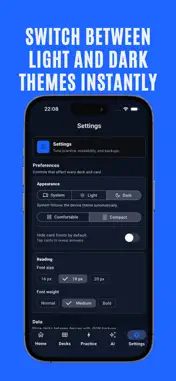
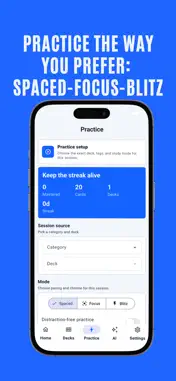
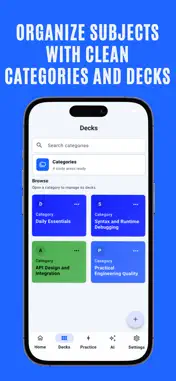
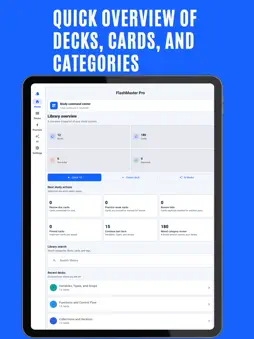
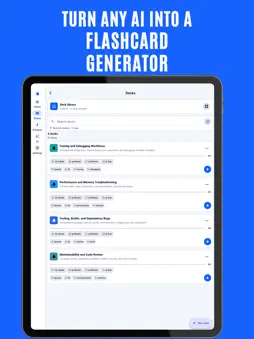
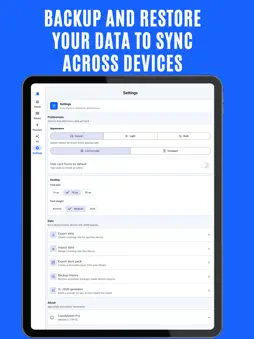
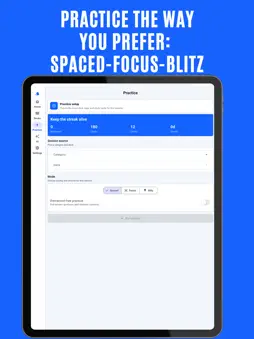
FlashMaster Pro is a focused flashcard study app for building organized learning libraries, reviewing at the right time, and turning AI-generated content into practical study decks. Create flashcards manually, import structured JSON files, or use the built-in AI Generator to prepare professional prompts for your preferred AI assistant. FlashMaster Pro provides the required JSON format, validates generated content before import, and lets you add new decks directly from pasted JSON or a downloaded file. STUDY WITH PURPOSE • Use spaced repetition to review cards when they matter most • Choose Focus mode for concentrated sessions • Use Blitz mode for fast review rounds • Rate each card as Again, Hard, Good, or Easy • Review missed cards after a session • Track mastered cards, due cards, streaks, and progress USE AI TO BUILD STUDY DECKS • Answer a few questions to generate a detailed prompt • Choose templates for exams, interviews, languages, coding, science, business, and more • Send the prompt to ChatGPT, Gemini, Claude, Grok, or another AI assistant • Paste the returned JSON directly into FlashMaster Pro • Validate categories, decks, and cards before importing • Import JSON directly or use a downloaded JSON file ORGANIZE YOUR LIBRARY • Group flashcards into categories and decks • Search categories, decks, cards, answers, and tags • Filter cards by due, mastered, review-later, and pinned status • Sort decks by recent activity, progress, streak, or name • Use tags to create focused practice sessions • Switch between compact and comfortable layouts SMART DASHBOARD • See due cards, weak cards, pinned cards, and review-later cards • Continue your recent deck quickly • Start a mixed review or a quick 10-card session • Find your next study action without navigating through multiple screens BACKUP AND SHARE • Export your library as JSON • Import validated backups safely • Create shareable deck packs • Restore automatic backups from backup history • Merge imported content while keeping your existing library DESIGNED FOR READABILITY • Clean, modern interface • Light, dark, and system appearance modes • High-contrast card colors • Adjustable text size and weight • Responsive layouts for iPhone and iPad FlashMaster Pro is built for students, professionals, language learners, developers, and anyone who wants a practical way to remember more.
What's New
Version 2.7.0 2026-06-03
FlashMaster Pro 2.7 introduces a more powerful and polished learning experience. AI-powered deck creation • Build detailed prompts for ChatGPT, Gemini, Claude,... Technical Analysis
Package Overview Basic metadata
Bundle ID
com.apexwizards.flashmasterpro Current Version 2.7.0
Minimum iOS 15.0
Package Size App Store Size
Package Metadata 1 / 5 version records
Detailed binary, privacy manifest, framework, and Info.plist results have not been indexed for this package yet. The verified App Store and archive metadata above remains available.
Developer Information
Known Version Records
1 version record with stored package metadata • 5 known version records
Stored metadata does not guarantee a package is currently available to download.
| Details | Version / IDs | Version date | Action |
|---|---|---|---|
| 38.3 MB | v2.7.0 App Store ID: 886428606Build: 2.7.0 | 2026-06-03 02:10:20 | Get Version |
| Not archived | App Store ID: 884326602 | Unknown | Request Version |
| Not archived | App Store ID: 879801529 | Unknown | Request Version |
| Not archived | App Store ID: 865001272 | Unknown | Request Version |
| Not archived | App Store ID: 859724170 | Unknown | Request Version |