
Preview








Description
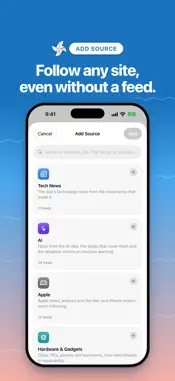
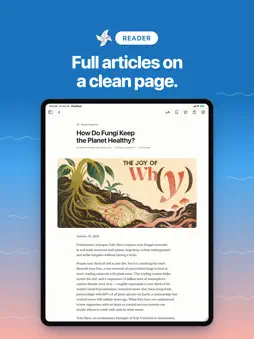
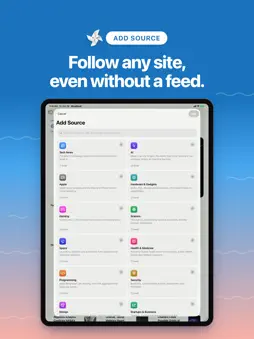
Windfeed collects the stories from the sites you follow and lays them out in a calm reader made for iPhone, iPad and Mac. There's no account to make and no ads. Follow what you read Paste a web address and Windfeed finds the site's feed. It also follows YouTube channels, subreddits and Bluesky profiles. Many news sites have no feed, so Windfeed can also read a news site's own list of new stories. You can start from a set of topics and pick the sources you want. Bring your subscriptions from another reader with an OPML file, and open feed links straight into Windfeed. Three ways to read Quiet is a calm list you read from top to bottom. Broadsheet lays the day out like a newspaper front page. Gallery leads with photos. Switch between them any time in Settings. A reader for long articles Windfeed opens the full article, not just the summary, on a clean page. Choose a serif or sans face, the text size and the line width. On iPhone and iPad the text follows your Dynamic Type size. Today, built on your device Today is a daily briefing. It groups the day's stories by topic and summarizes each topic with Apple Intelligence on your device, so what you read stays there. Every summary links to the stories behind it. Topics in a language Apple Intelligence doesn't support yet show headlines instead of a summary. Today needs a device that supports Apple Intelligence, and you can turn it off in Settings. Try Today for free: the free briefing summarizes one topic. Windfeed Pro summarizes every topic, lets you choose which folders Today reads, and can remind you each morning when the briefing is ready. Pro is a one-time in-app purchase with no subscription, shared with your family through Family Sharing. Everything else in Windfeed is free, with no limits. Keep up your way Unread, Favorites and Read Later keep track of what's left. Sort sources into folders and drag them into the order you like. Search your stories, or mark a whole folder as read in one step. Mute a word to hide the stories that mention it, in one source or everywhere. The newest unread stories are saved on Wi-Fi, so they open without a connection. Windfeed checks busy sites often and quiet ones less, so it stays current without fetching everything every time. Made for iPhone, iPad and Mac On iPhone, Today, Stories, Sources and Search sit in a tab bar, and each style has a comfortable and a compact layout. On the Mac, Windfeed is a native Mac app with menus, a Settings window and single-key shortcuts. Press J and K to move between stories, M to mark one read, S to favorite it and R to save it for later. On iPad it works with a keyboard, a pointer and the menu bar. Add a source, refresh or mark a folder read from Shortcuts and Siri. Your folders, sources, muted words and read state sync between your devices through your own iCloud account. Private by design Windfeed has no account, no ads and no analytics. It collects no data about you.
What's New
Version 1.0.2 2026-11-07
• Folders on the iPhone Sources tab now start collapsed. Tap the arrow to show or hide a folder's sources, or tap its name to open it. • Swipe right on a folder...• Folders on the iPhone Sources tab now start collapsed. Tap the arrow to show or hide a folder's sources, or tap its name to open it. • Swipe right on a folder to mark all of its stories as read. • Stories you open from Unread stay in the list until you leave it, so the list no longer jumps. • Broadsheet now marks unread stories with a dot. Technical Analysis
Package Overview Basic metadata
Bundle ID
com.codefoundry.newsflow Current Version 1.0.2
Minimum iOS 26.0
Package Size App Store Size
Package Metadata 0 / 0 version records
Detailed binary, privacy manifest, framework, and Info.plist results have not been indexed for this package yet. The verified App Store and archive metadata above remains available.
Known Version Records
0 version records with stored package metadata
Stored metadata does not guarantee a package is currently available to download.
| Details | Version / IDs | Version date | Action |
|---|