Preview



Description
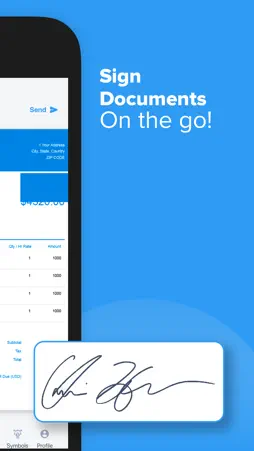
The Sign Documents app lets you fill, sign, and send any forms to your contacts. Scan paper forms with your camera or open a file from email. Tap to enter text or checkmarks in form fields. Easily create your signature with your finger, then apply your signature or initials to the form. ● Scan Documents You can Scan any kind of paper forms and make it easy for your clients to fill and sign. Types of fields supported - Signature, Initials, Name, Date, Email, Text, Address ● Sign documents Draw your signature. Upload documents and fill in signature, initials, date, email, images, or any type of text like address, phone numbers, etc. No need to write the details every time. You can also save multiple signatures for your business. ● Save your Profile You can save all your basic information that are required to fill the form like First Name, Last Name, address, Phone No, Email address, DOB and also you can add any custom field in the profile. You can also set date formate from different countries. ● Send documents Send the complete document to anyone via email, WhatsApp, iMessage and more. E-sign documents and send documents for signing without any limits or charges. Tag your document for signature from a select number of fields by simply dragging and dropping the tags. With our updated sending experience, preparing a document for signature just got easier. Subscription information: Monthly Subscription : $9.99 Yearly Subscription : $49.99 Payment will be charged to iTunes Account at confirmation of purchase. Subscription automatically renews unless auto-renew is turned off at least 24-hours before the end of the current period. Account will be charged for renewal within 24-hours prior to the end of the current period, and identify the cost of the renewal. Subscriptions may be managed by the user and auto-renewal may be turned off by going to the user's Account Settings after purchase. No cancellation of the current subscription is allowed during active subscription period. Privacy Policy: https://sites.google.com/view/sign-documents/privacy-policy Terms of Use: https://sites.google.com/view/sign-documents/terms-of-use
What's New
Version 1.3 2022-11-22
Bug Fixed : Now you can sync your profile and signatures perfectly. Technical Analysis
Package Overview Basic metadata
Bundle ID
com.sign.documents Current Version 1.3
Minimum iOS 14.0
Package Size App Store Size
Package Metadata 0 / 0 version records
4.3 / 5.0 (12 ratings)
Detailed binary, privacy manifest, framework, and Info.plist results have not been indexed for this package yet. The verified App Store and archive metadata above remains available.
Known Version Records
0 version records with stored package metadata
Stored metadata does not guarantee a package is currently available to download.
| Details | Version / IDs | Version date | Action |
|---|