Preview




Description
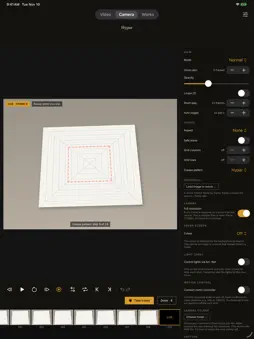
The stop-motion app that takes the shot by itself as soon as your hands leave the frame. Free, with no subscription, no ads, no account and no internet. EVERYTHING FREE, NO WATERMARKS Every feature is free, including sound, music, green screen, titles, drawing and export up to 4K. No film ever carries a watermark. FrameFold collects no data. Your frames, sound and works stay on your device. AUTOMATIC CAMERA Put your iPhone or iPad on a tripod and get to work. FrameFold shoots as soon as your hands leave the frame and the scene is still. Exposure and white balance stay locked, and the shutter speed is matched to your lights so they don't flicker. You also get onion skin, a warning when the camera has moved, an interval timer and a spirit level. SHARP FRAMES The app measures sharpness continuously and locks focus only once it is right. A blurry frame never makes it into your work. From “Advanced” mode on, you can set ISO, shutter speed, focus and white balance yourself and pick the lens. Every frame uses the full sensor resolution. SHOOT WITHOUT TOUCHING Your Apple Watch becomes a remote with a frame counter. You can also shoot with the volume buttons, with AirPods, by clapping, or with a self-timer by long-pressing. Nobody has to touch the tripod. WATCH THE FILM GROW From the second frame on, your film plays as a loop in the viewfinder. A connected screen or projector shows the camera feed without any controls. EDITING Duplicate, hold, reorder or reshoot any frame. Everything can be undone. Add text, speech bubbles and drawings right on the frame, and lay your own images on top as layers. Green screen swaps green or blue for an image or a video. From “Advanced” mode on, you get camera moves with pan and zoom. For rotoscoping, a video becomes frames you can draw over. Title cards, credits and looks for the whole film are included too. SOUND Multiple audio tracks with waveforms. Use music from your files or one of five built-in tracks, from “Happy” to “Dream”. Attach any of ten sound effects, from Pop to Ta-da, to any frame. Record your voice while the film plays, and make it high, low or robotic if you like. An on-device voice reads out text you type. STUDIO From “Advanced” mode on, the iPad turns into a studio workspace, and so does the iPhone if you switch it on. You get a timeline, a toggle between live view and captured frames, multi-frame onion skin, aspect masks, a focus loupe, a reference image with chroma key and an X-Sheet for mouth shapes. Lights via DMX (Art-Net) and motion control via Bluetooth are set per frame. EXPORT AND FLIP BOOK Export at 2 to 30 frames per second, up to 4K, as a loop, boomerang or in reverse, or as a GIF. Any work can become a print-ready flip book with A4 sheets, cut lines and numbered pages. Send a work as a file via AirDrop to another device. VIDEO TO STOP-MOTION Pick an existing video. FrameFold finds the still moments, removes frames with hands in them and drops duplicates. FOR SCHOOLS “Simple” mode shows only what you need. There is no account and no internet connection. A free two-lesson plan is available, and a short guide is built into the app. ALSO ON THE MAC The same app runs on the Mac, with a document camera or an iPhone as the camera, and exports to ProRes or image sequences. FrameFold is available in 17 languages. FrameFold began as a tool for the artist Aldo Tolino, who folds printed photographs into objects and photographs them again.
What's New
Version 2.11 2026-11-11
Text, drawings and camera moves stay with their frames when you remove, duplicate, hold or reorder frames. “Restore” puts frames from the trash back in their ol...Text, drawings and camera moves stay with their frames when you remove, duplicate, hold or reorder frames. “Restore” puts frames from the trash back in their old place. “Undo” also covers title, credits, name and dialogue. On iPhone, the current step of the crease pattern sits above the status. On iPhone, the viewfinder is larger, and the sheets for voice and camera move are tidier. At full resolution, the “Shutter sound” switch decides whether the shutter sounds (iOS 18 and later). Speech output offers voices in all 17 languages of the app. Playback in the studio stays in sync with the sound. Technical Analysis
Package Overview Basic metadata
Bundle ID
com.bracharz.framefold Current Version 2.11
Minimum iOS 17.0
Package Size App Store Size
Package Metadata 0 / 0 version records
Detailed binary, privacy manifest, framework, and Info.plist results have not been indexed for this package yet. The verified App Store and archive metadata above remains available.
Developer Information
Known Version Records
0 version records with stored package metadata
Stored metadata does not guarantee a package is currently available to download.
| Details | Version / IDs | Version date | Action |
|---|