Preview






Description
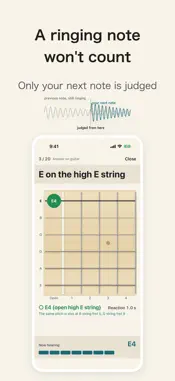
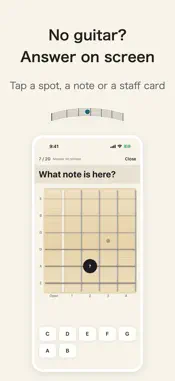
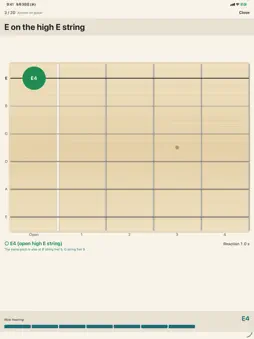
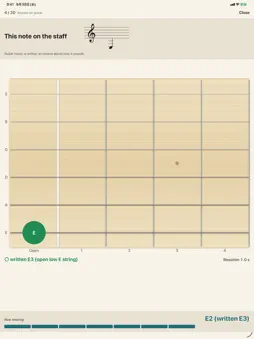
Learn every note on the guitar neck by playing it on your own guitar. Fretboard Recall asks for a note, such as “C on the A string”, “C in frets 5–8” or a note on the staff, and you answer by playing one note. The mic checks the pitch right away and shows ○ with your reaction time. A NOTE CHECK YOU CAN TRUST • A note still ringing from the previous question isn't taken as your answer. • If your note sounds an octave off, or the mic can't hear it clearly, you're asked to play again instead of being marked wrong. Those questions don't count toward accuracy or weak spots. • The note the mic is hearing is always on screen. • Audio is never recorded and never leaves your device. FOUR KINDS OF QUESTIONS • A note on a string: “C on the A string” • A note in a fret range: “C in frets 5–8” • The note at a position on the fretboard diagram • Staff and fretboard: find the written note, or pick the staff note for a position. Guitar music is written an octave above how it sounds, and the app shows it that way: the open low E string is written E3, three ledger lines below the staff. NO GUITAR AT HAND? Answer on screen instead: tap the position, the note name or the staff card. WEAK SPOTS COME UP MORE Positions you missed or were slow on come back more often. After each 20-question session, a fretboard heatmap shows where you missed and where you were slow. SET IT UP YOUR WAY • Left-handed mode (a true mirror image) • Note names as C D E or Do Re Mi, with sharps or flats • Standard tuning • No account, no ads FREE AND PRO Play up to 60 questions in total for free, answering with your guitar included, so you can check that the mic works with your guitar before you pay. Pro is a one-time purchase with no subscription: unlimited practice, the full range (choose strings, frets 0–22, sharps and flats), weekly History with heatmaps and a weekly summary, and Review weak spots. The mic listens to pitch only, not to strings. Any position with the same pitch counts as correct, and the app then shows the other places where that pitch is found.
Technical Analysis
Package Overview Basic metadata
Bundle ID
work.rainbowtree.ShibanDrill Current Version 1.0.0
Minimum iOS 17.0
Package Size App Store Size
Package Metadata 0 / 0 version records
Detailed binary, privacy manifest, framework, and Info.plist results have not been indexed for this package yet. The verified App Store and archive metadata above remains available.
Known Version Records
0 version records with stored package metadata
Stored metadata does not guarantee a package is currently available to download.
| Details | Version / IDs | Version date | Action |
|---|