Preview




Description
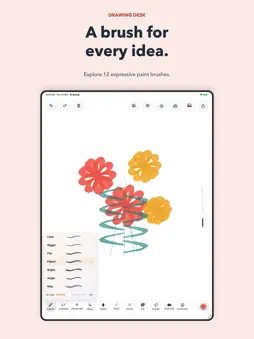
Turn your iPhone or iPad into a powerful digital sketchbook. Sketch, draw, paint, color, or capture ideas on a smooth digital canvas. Whether you're exploring digital art or just doodling for fun, this simple and powerful drawing app gives you the tools to create anytime, anywhere. Free Drawing Canvas Start with a clean, distraction-free canvas and let your creativity flow. Perfect for: • Sketching • Painting • Doodling • Visual note-taking • Digital art practice Draw freely and bring your ideas to life. Advanced Brushes & Tools Create smooth strokes and detailed artwork using powerful drawing tools: • Multiple brush styles • Adjustable brush size and opacity • Pressure-sensitive strokes (when supported) • Eraser and fill tools • Smooth and responsive drawing engine Designed for expressive sketching and digital painting. Precision Stylus Support Enjoy precise drawing with stylus input on supported devices: • Pressure-sensitive drawing • Tilt support (device dependent) • Smooth and natural strokes • Low-latency drawing experience Perfect for artists who want accurate control while sketching or painting. Coloring & Creative Fun Relax and explore creativity through simple coloring and drawing tools. • Easy-to-use interface • Bright color palette • Simple tools for quick creativity Great for casual drawing and creative play. Doodle & Capture Ideas Use the app as your everyday creative notebook. Great for: • Quick doodles • Brainstorming ideas • Visual journaling • Sketching concepts • Creative note-taking Capture inspiration the moment it appears. Simple & Intuitive Design Designed for artists, beginners, and anyone who loves to draw. Clean tools, smooth performance, and a distraction-free interface make it easy to focus on creativity. Download now and start sketching, drawing, and painting today.
What's New
Version 4.1 2026-11-02
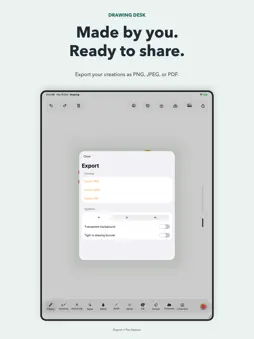
Give your art a new backdrop: • Choose Smooth or the new Canvas Paper background in Settings. • Your paper choice is saved with each drawing, with undo and red...Give your art a new backdrop: • Choose Smooth or the new Canvas Paper background in Settings. • Your paper choice is saved with each drawing, with undo and redo for surface changes. • Keep the canvas texture in PNG, JPEG, and PDF exports with a background. Transparent exports stay clear. Technical Analysis
Package Overview Basic metadata
Bundle ID
com.drawing.sketchbook Current Version 4.1
Minimum iOS 17.0
Package Size App Store Size
Package Metadata 1 / 8 version records
Detailed binary, privacy manifest, framework, and Info.plist results have not been indexed for this package yet. The verified App Store and archive metadata above remains available.
Developer Information
Known Version Records
1 version record with stored package metadata • 8 known version records
Stored metadata does not guarantee a package is currently available to download.
| Details | Version / IDs | Version date | Action |
|---|---|---|---|
| 28.73 MB | v3.4 App Store ID: 886320596Build: 3.4 | 2026-08-23 23:51:45 | Get Version |
| Not archived | App Store ID: 885718952 | Unknown | Request Version |
| Not archived | App Store ID: 885070607 | Unknown | Request Version |
| Not archived | App Store ID: 884945857 | Unknown | Request Version |
| Not archived | App Store ID: 884430414 | Unknown | Request Version |
| Not archived | App Store ID: 883479040 | Unknown | Request Version |
| Not archived | App Store ID: 883208579 | Unknown | Request Version |
| Not archived | App Store ID: 882468535 | Unknown | Request Version |