
Preview





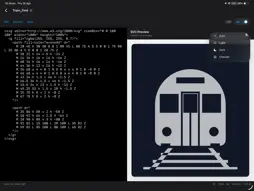
Description
Elevate your coding and writing workflow. Your iPad, iPhone, and Mac are incredibly powerful tools. Notepad: HTML, SVG & JSON is here to make them even better. Designed to fit perfectly into your daily routine, this app provides a beautifully simple and professional way to handle your code and text files. With our latest update, taking advantage of the larger screens on your iPad and Mac has never been easier thanks to the new Live Preview panel. You do not need any special software to start a new project; simply type your code and save the file with the exact extension you need, like .html. Whether you are making a quick update on your iPhone or building a complete webpage on your Mac, you can enjoy a seamless and productive experience. Because it works perfectly with iCloud, your newly created files and progress are always at hand across all your devices. Oh, and you can also just use it to type up some quick notes, save them as a PDF, or print them. After all, it is a notepad app! Why it enhances your workflow: • Live Code Preview (iPad & Mac): Watch your work come to life instantly as you type. The new preview panel supports HTML, SVG, Markdown, CSS, JSON, CSV/TSV, XML, and RTF. (Note: Mermaid and LaTeX previews are also supported and work best with an active internet connection). • Smart Preview Toggle: Keep your workspace exactly how you like it. Turn the preview on or off, and the app will remember your choice for each specific file. • Create Any File: Start from scratch without heavy software. Just write your text and save your file with the exact extension you need (like .html, .svg, or .json). • Always in Sync: Save your new files to iCloud and your work will instantly update across your iPhone, iPad, and Mac. Your documents are always right where you need them. • Seamless Editing: Effortlessly open your files directly from your folders. • Direct Saving: Save your brilliant work right back to the original file in just one tap. • Helpful Details: Keep track of your progress with live line and character counts. • Comfortable View: Easily zoom in and out to find the perfect text size for reading on any screen. • Share and Print: Quickly export your documents as a PDF or print them directly. (Because sometimes you just need to print your grocery list—it is a notepad, after all!) • Universal Workspace: A smooth and familiar experience across all your Apple devices.
What's New
Version 2.2 2026-10-27
Our designers are back from holiday. They saw the last update. They had notes. So, we’ve tidied things up and added a few new tricks: • Draw in SVG: Sketch, a... Technical Analysis
Package Overview Basic metadata
Bundle ID
txtNotepad.Notepad Current Version 2.2
Minimum iOS 26.2
Package Size App Store Size
Package Metadata 0 / 4 version records
Detailed binary, privacy manifest, framework, and Info.plist results have not been indexed for this package yet. The verified App Store and archive metadata above remains available.
Known Version Records
0 version records with stored package metadata • 4 known version records
Stored metadata does not guarantee a package is currently available to download.
| Details | Version / IDs | Version date | Action |
|---|---|---|---|
| Not archived | App Store ID: 884691040 | Unknown | Paid / Arcade |
| Not archived | App Store ID: 884579405 | Unknown | Paid / Arcade |
| Not archived | App Store ID: 884246157 | Unknown | Paid / Arcade |
| Not archived | App Store ID: 883151764 | Unknown | Paid / Arcade |