
Preview




Description
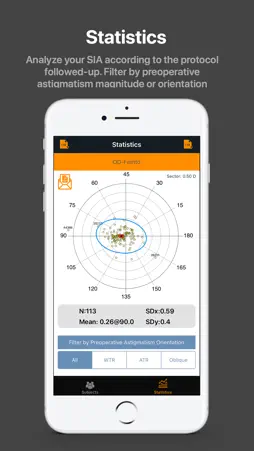
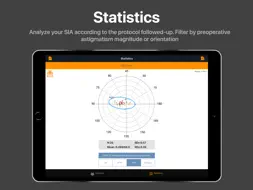
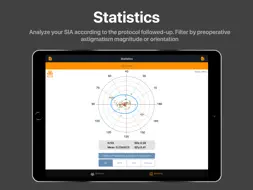
The BigSIA is an application designed, developed and sold by Manuel Rodríguez Vallejo for teaching and research purposes. Provides information to the Anterior Segment Surgeon about Corneal Induced Astigmatism (SIA) during Cataract Surgery. The application provides information to allow the surgeon to make a clinical decision based on his or her own knowledge. How to use The BigSIA? 1.- INTRODUCE SUBJECTS The first step is to introduce a subject measured during the preoperative and postoperative follow-up. The preoperative and postoperative corneal powers are the main variables although other variables can be stored for later export and analysis by other software. The subject must be entered through a unique numeric Pseudoidentifier so that no personal data is stored in the device. It is the responsibility of the user to perform an appropriate Pseudoidentification procedure. 2.- CREATE EXAMS FOR SUBJECTS AND ASSIGN A PROTOCOL TO AN EXAM Once the Subject has been introduced, an Exam should be created in the Subject screen. After creating the first Exam it will be necessary to create a new Protocol that will be assigned to that Exam. A Protocol is a uniform way of acting in such a way that the subsequent analysis is reliable. For example, a protocol could include right eyes measured with a particular instrument with a 2.2 mm temporal incision. We can assign a protocol name "protocol1" and all the subjects whose right eyes have been operated on the same incision and measured with the same instrument can be assigned to the same "protocol1". Any variation must be recorded in a different protocol, for example, if I change the eye by the left eye, I must change the protocol and it can not be assigned to "protocol1". Once the Exam is created and assigned the Protocol to it, the preoperative and postoperative corneal power data are inserted. The App will calculate the SIA for that exam. Obviously, preoperative and postoperative astigmatism must be measured through the same device. 3.- ANALYZE THE DATA After having a series of patients undergoing surgery and measured under the same protocol, we can calculate a double-angle chart with the statistics of centrality and dispersion. What are the benefits of the PRO account? The App can be downloaded for free but only 30 subjects and 1 protocol can be included. Users with the PRO annual subscription can include an unlimited number of subjects, unlimited number of protocols, import and export of data in .CSV format, export of plots in vector format, making backup copies, filter according to the magnitude of the preoperative Corneal astigmatism or filter according to the type of preoperative astigmatism (with-the-rule, against-the-rule or oblique). INFORMATION ABOUT PRO SUBSCRIPTION The BigSIA is a freemium app. If you want to access to all the services you have to buy a PRO auto-subscription for 19.99€ (prices can vary between countries) for a period of 1 year. The payment will be charged to your iTunes Account at confirmation of purchase. Subscription automatically renews unless auto-renew is turned off at least 24-hours before the end of the current period. Account will be charged for renewal within 24-hours prior to the end of the current period, and identify the cost of the renewal. Subscriptions may be managed by the user and auto-renewal may be turned off by going to the user's Account Settings after purchase. Any unused portion of a free trial period, if offered, will be forfeited when the user purchases a subscription to that publication, where applicable. You can find our terms and privacy policy at https://www.test-eye.com/index.php/en/apps-en/bigsia
What's New
Version 1.2 2019-08-03
1.- Notifications system included 2.- Access to new documentation of the App in the help section 3.- Import the .CSV files directly saving through the Files app... Technical Analysis
Package Overview Package analysis available
Bundle ID
com.testeye.BigSIA Current Version 1.2
Minimum iOS 11.0
Package Size App Store Size
Package Metadata 1 / 3 version records
GoogleUtilities
org.cocoapods.GoogleUtilities v5.3.6iOS 8.0+174.08 KB
nanopb
org.cocoapods.nanopb v0.3.901iOS 8.0+95.62 KB
PDFExporter
org.cocoapods.PDFExporter v2.0.0iOS 9.0+99.5 KB
Protobuf
org.cocoapods.Protobuf v3.6.1iOS 8.0+549.51 KB
SwiftyStoreKit
org.cocoapods.SwiftyStoreKit v0.13.2iOS 8.0+302.83 KB
Developer Information
Known Version Records
1 version record with stored package metadata • 3 known version records
Stored metadata does not guarantee a package is currently available to download.
| Details | Version / IDs | Version date | Action |
|---|---|---|---|
 7.9 MB | v1.2 App Store ID: 832236997Build: 2 | 2019-07-28 02:55:26 | Get Version |
| Not archived | App Store ID: 831724344 | Unknown | Request Version |
| Not archived | App Store ID: 827926471 | Unknown | Request Version |