Preview





Description
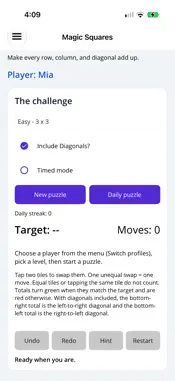
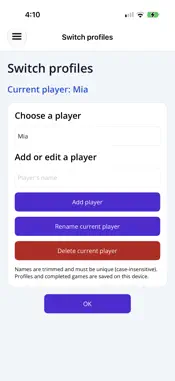
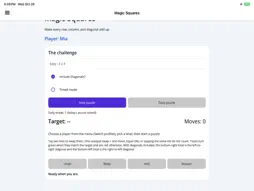
Gameplay • Goal: rearrange the numbered tiles so every row and column adds up to the target. Diagonals can optionally be included. • Moves: tap one tile, then another, to swap them. Swapping equal values doesn't count as a move. • Levels: Easy uses a 3×3 grid; Medium uses a 4×4 grid and Hard uses a 5×5 grid. • Totals: row, column and diagonal sums show beside the board. They are red until they match the target, then turn green. • Tools: Undo, Redo, Hint and Restart. Each hint counts as a move. • Diagonals: you can include both, only the main one, or none. The Easy level uses the right-to-left diagonal only when the target is divisible by 3. • Timed mode: an optional clock that pauses when the page or window isn't active. Daily puzzle • A date-based challenge, available once per day on the Easy level. • It is always played with diagonals and the timer on. • Solving it extends your daily streak. Scoring • Par: an estimate of the fewest swaps needed to solve the puzzle. • Stars: each finished puzzle earns 1 to 3 stars, based on moves (hints included) against par. • Saved results: moves, hints, par, time, diagonal setting and daily date are stored with each score. Players and history • Profiles: multiple local player profiles, which you can add, switch and delete. • History page: shows all completed games, newest first, plus personal-best moves and best times per level. • Daily streak: the history page also shows your daily streak. • Stars total: the history page shows total stars earned out of the maximum possible, with a percentage. • Reset: history can be reset, with a confirmation. Saving and resuming • Auto-save: an unfinished puzzle is saved automatically for each player, including moves, undo history and elapsed time. • Resume prompt: on startup you get a "Puzzle resumed" prompt, and the timer stays stopped until you dismiss it. • Safeguards: you're asked to confirm before discarding or leaving a game in progress. App UI and extras • Pages: Home, Switch Profiles, Show History, Help, About, Privacy Policy and Other Apps. • Look: a light/dark theme and a card-style layout. • Accessibility: descriptions and hints on the controls.
Technical Analysis
Package Overview Basic metadata
Bundle ID
app.qtd.magicsquares Current Version 3.1.0
Minimum iOS 15.0
Package Size App Store Size
Package Metadata 0 / 0 version records
Detailed binary, privacy manifest, framework, and Info.plist results have not been indexed for this package yet. The verified App Store and archive metadata above remains available.
Developer Information
Known Version Records
0 version records with stored package metadata
Stored metadata does not guarantee a package is currently available to download.
| Details | Version / IDs | Version date | Action |
|---|