Preview




Description
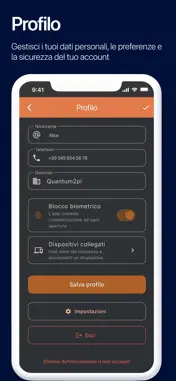
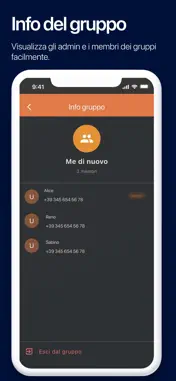
QCloak is the messaging platform built for organizations that cannot compromise on the confidentiality of their communications. Restricted access for client organizations. QCloak is designed for businesses and institutions as their internal communication platform for their own users: access is granted with a phone number and a registration code issued by the user's organization. Protected communication. Every conversation is end-to-end encrypted: only the sender and recipient can read the messages, and the provider never has access to them at any point. You can verify your contacts' identity directly in the app, and get notified if something suspicious changes. Built for real security. Every account supports multiple devices, each with its own independent encryption. Organizations can also enable automatic deletion of messages after they're read. Control in your hands. You can block and report users directly from the app, and delete your account and your data at any time.
What's New
Version 1.0.7 2026-10-27
What's new - Replying to a message: drag it to the right, or press and hold it and choose "Reply". Tapping the quote takes you back to the original message. -...What's new - Replying to a message: drag it to the right, or press and hold it and choose "Reply". Tapping the quote takes you back to the original message. - Emoji reactions: press and hold a message and pick an emoji from the row at the top, or tap "+" to see them all. The author of the message gets a notification. - Emoji button in the message bar. - Simpler sign-up: registration code asked for only for numbers not yet registered; a mistyped number can be corrected with one tap. - Sharing attachments with other people or apps from the message menu ("Share"). - Resending attachments that failed to send with "Resend message", without attaching them again; on Wi-Fi they go again by themselves. - Captions for documents and audio files too, not only photos and videos. - Sending any file as a document, even with accents or symbols in its name. - Confirmation requested before opening received web pages, scripts and installation packages. - Updated privacy policy and terms of use. Bug fixes - When you tap a notification with no connection or an unstable one, the chat still opens and the message appears by itself as soon as the connection is back. - The first message sent after reopening the app no longer hangs: if it cannot be sent, it shows as failed within a few seconds. - With no connection, or a slow one, the app opens straight away and shows your chats. - In group chats, the names of the people writing show even without a connection. - Opening a chat from a notification while viewing another one no longer leaves messages you have read marked as unread. - When a device is disconnected, chats no longer stay visible behind the notice. - Shared locations stay shown as a location after reopening the app. - The screen stays on while you record a voice message, so auto-lock no longer interrupts it. - "Resend" on the verification code screen now works during the first sign-up too. - The keyboard no longer gets stuck over the chat after editing a screenshot or picking a file. - Stability and security fixes and improvements. Technical Analysis
Package Overview Basic metadata
Bundle ID
com.quantum2pi.qessage Current Version 1.0.7
Minimum iOS 15.0
Package Size App Store Size
Package Metadata 0 / 0 version records
Detailed binary, privacy manifest, framework, and Info.plist results have not been indexed for this package yet. The verified App Store and archive metadata above remains available.
Developer Information
Known Version Records
0 version records with stored package metadata
Stored metadata does not guarantee a package is currently available to download.
| Details | Version / IDs | Version date | Action |
|---|