
Preview


Description
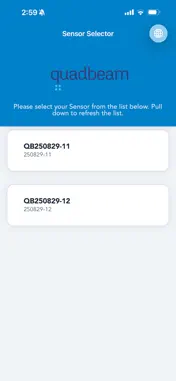
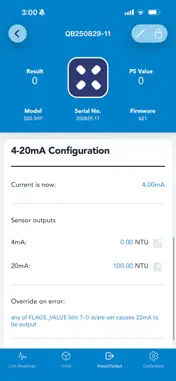
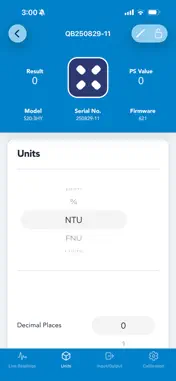
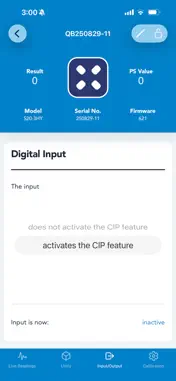
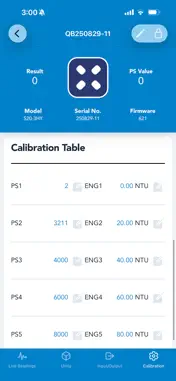
Quadbeam is the official companion app for configuring and monitoring Quadbeam Technologies suspended-solids and turbidity sensors over Bluetooth Low Energy. Connect your phone directly to a Bluetooth-equipped Quadbeam sensor and take full control on site — no laptop, no cables, no separate handset. See live measurements, manage calibration, and set up your analogue outputs and relays in minutes. KEY FEATURES • Direct Bluetooth connection Scan for and connect straight to your Quadbeam (QB) sensor. Pull to refresh to find nearby devices. • Live readings View real-time sensor output as it happens, with adjustable smoothing to stabilise readings in dynamic process conditions. • Multi-point calibration Set and review calibration points, with options to extrapolate above and below the table and force values where needed. • Outputs & control Configure your 4 mA and 20 mA output points and review live current and input status to match your control system. • Flexible units Work in the units that suit your process, including mg/l, g/l, ppm, %, NTU and FNU, with adjustable decimal places. • Multiple sensors Manage more than one sensor and switch between them from a single, clear interface. Quadbeam is built for water and wastewater treatment, food and beverage, mining, and other process applications that depend on accurate suspended-solids and turbidity measurement. A compatible Bluetooth-enabled Quadbeam sensor is required to connect and configure.
Technical Analysis
Package Overview Basic metadata
Bundle ID
com.quadbeam.quadbeam Current Version 1.0
Minimum iOS 15.1
Package Size App Store Size
Package Metadata 0 / 0 version records
Detailed binary, privacy manifest, framework, and Info.plist results have not been indexed for this package yet. The verified App Store and archive metadata above remains available.
Developer Information
Known Version Records
0 version records with stored package metadata
Stored metadata does not guarantee a package is currently available to download.
| Details | Version / IDs | Version date | Action |
|---|