Preview




Description
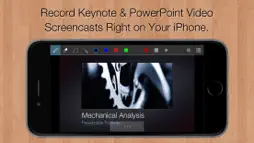
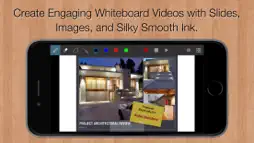
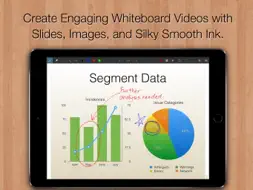
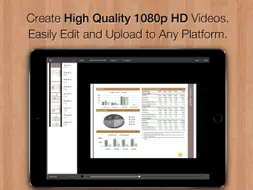
Slidecast is the easiest and fastest way to record professional video slide presentations right on your iPad or iPhone: Step 1: Import slides. Step 2: Tap Record and flip through the pages as you narrate. Step 3: Everything you say is recorded in sync with the screen. It's the perfect tool for: Sales presentations, training videos, remote collaboration, and more. INCREASE ENGAGEMENT WITH PERSONALIZED VIDEOS The next time an important client wants some information, why not walk them through it with a custom-tailored video presentation? You and your business are sure to stand out. WHITEBOARD VIDEOS TOO Slidecast can also be used to quickly create whiteboard-style videos. Start with slides or a blank page and present as you would on a whiteboard. This is ideal for instructional videos as well as for rapidly sharing ideas with your colleagues. Use it to sketch out a proposal, present plans, or review documents. SHARE SECURELY OR BROADCAST TO THE WORLD Everyone's concerned about privacy these days. So are we. Unlike with online presentation services, you retain 100% control over your slides and videos. Your content never leaves your iPad, unless you choose to share it or backup to iCloud. Email videos directly to only your colleagues, or upload them to the service of your choice. FOR EDUCATORS: FLIP YOU CLASSROOM WITH ENGAGING VIDEO SCREENCASTS Slidecast is a powerful tool for flipping your classroom. Screencastify your lessons into a reusable video library that students can watch and learn from on their own, then use valuable class time to focus on individual coaching. Or let your students use Slidecast to record their thought process as they work through problems. Let them explain everything to each other in short clips to help focus attention and raise engagement. TOP FEATURES: * Open exported PDF decks (or any PDF file) from Keynote, PowerPoint, or 3rd party Apps. * Produces High-Quality 1080p or 720p HD Quicktime videos. * Integrated scene editor. * Smooth scalable vector ink built on the Inkflow Engine. * Record using the iPad's built-in mic, or an external one. * Project organizer with customizable color categories. * Publish directly to YouTube, Facebook, or Vimeo from the Photos App. * Upload to Dropbox and other services by exporting videos to 3rd party Apps. SLIDECAST PRO Upgrade instantly to Slidecast Pro with a monthly subscription. Your Slidecast Pro subscription will automatically renew at the end of each period unless auto-renew is turned off at least 24 hours before the end of the current period. Your iTunes account will be charged for renewal within 24 hours prior to the end of the current period. You can turn off auto-renew at any time from your iTunes account settings, but refunds will not be provided for the unused portion of the current period. Terms: http://www.qrayon.com/home/slidecast/terms.aspx Privacy Policy: http://www.qrayon.com/home/privacy.aspx
What's New
Version 1.6 2020-05-27
+ Minor performance improvements. Technical Analysis
Package Overview Basic metadata
Bundle ID
com.qrayon.PresentationRecorderPro Current Version 1.6
Minimum iOS 9.1
Package Size App Store Size
Package Metadata 1 / 7 version records
Detailed binary, privacy manifest, framework, and Info.plist results have not been indexed for this package yet. The verified App Store and archive metadata above remains available.
Developer Information
Known Version Records
1 version record with stored package metadata • 7 known version records
Stored metadata does not guarantee a package is currently available to download.
| Details | Version / IDs | Version date | Action |
|---|---|---|---|
| 14.5 MB | v1.6 App Store ID: 827878879Build: 1.6 | 2020-05-27 17:09:21 | Get Version |
| Not archived | App Store ID: 825256773 | Unknown | Request Version |
| Not archived | App Store ID: 824246775 | Unknown | Request Version |
| Not archived | App Store ID: 822965844 | Unknown | Request Version |
| Not archived | App Store ID: 821825393 | Unknown | Request Version |
| Not archived | App Store ID: 821793292 | Unknown | Request Version |
| Not archived | App Store ID: 821074979 | Unknown | Request Version |