
Preview




Description
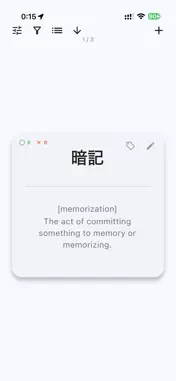
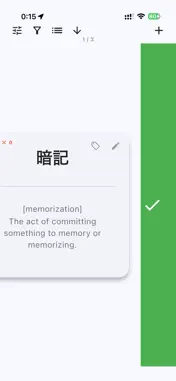
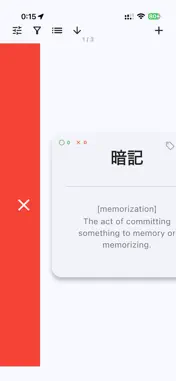
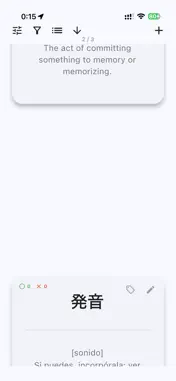
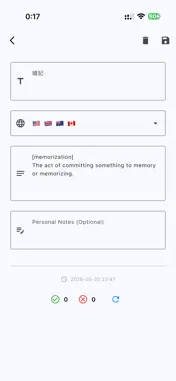
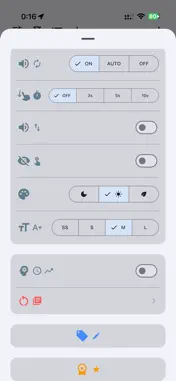
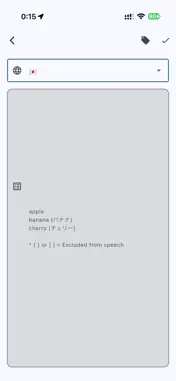
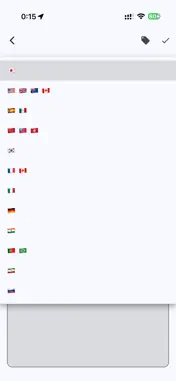
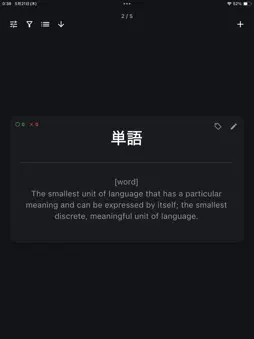
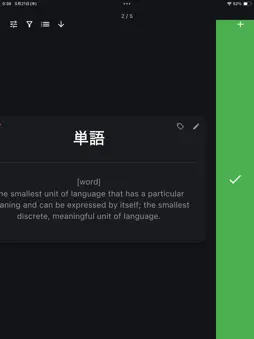
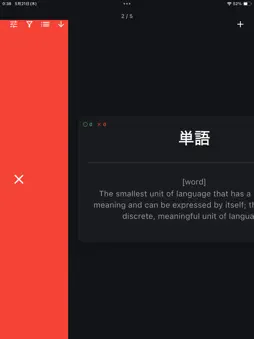
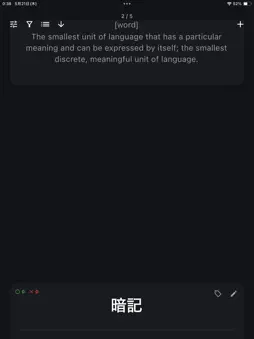
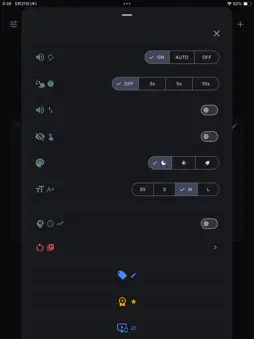
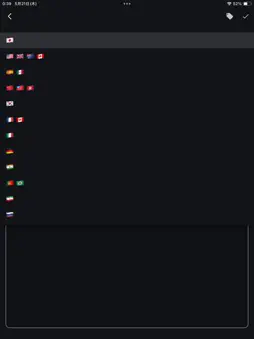
Time is money. Are you still wasting hours manually looking up words in a dictionary and typing them into flashcards one by one? Jargon Flashcards turns any list of terms—technical jargon, exam vocabulary, medical or IT terminology, or words in another language—into a ready-to-study flashcard deck, just by pasting. It's built for professionals who need to master industry-specific terms fast, and works just as well for students, language learners, and everyday vocabulary. You do not need expensive, slow AI or LLMs just to make flashcards. Whether you are reading foreign literature, academic papers, or business news, simply paste your list of unknown words. The app automatically searches multiple dictionary APIs in parallel to fetch definitions, translations, and pronunciations, creating your custom flashcard deck in seconds. Stop preparing. Start learning. [ Key Features ] - Bulk Import & Auto-Definition Simply paste your words (one per line). The app automatically fetches definitions and translations using Wikipedia, Wiktionary, and Translation APIs to create your cards instantly (up to 500 words at a time). - Spaced Repetition System (SRS) Optimize your learning with our SRS algorithm based on the forgetting curve. The app automatically schedules the best review timing for each card. You can also turn off SRS to use it as a simple, traditional flashcard deck. - Text-to-Speech (TTS) Master pronunciation with native device voices. Supports Tap-to-play and Auto-play. Text inside parentheses () is smartly skipped during audio playback. - Intuitive Swipe & Button Controls Swipe right for "Remembered" and left for "Again". You can also use your device's physical volume buttons to flip through cards, perfect for comfortable one-handed studying. - Multi-Tag Filtering Organize your flashcards with custom tags. Select multiple tags to filter and focus your study sessions exactly how you want. - Personal Notes Add your own context, example sentences, or memory hooks in a dedicated notes section, kept separate from the auto-fetched definitions. - Easy Device Migration Securely transfer your flashcard data to a new device using our quick QR code sync system. - Customizable Learning Environment Adjust font sizes (SS to L), choose from Dark, Light, or Natural color themes, and enable auto-scrolling for hands-free review. [ Supported Languages ] The app supports fetching definitions and translations for the following languages: - English - Japanese (日本語) - Spanish (Español) - Chinese (中文) - Korean (한국어) - French (Français) - Italian (Italiano) - German (Deutsch) - Hindi (हिन्दी) - Portuguese (Português) - Persian (فارسی) - Russian (Русский) No account registration or login required. Enjoy a 10-day free trial with full access to all features upon your first download. Even after the trial ends, you can continue to review and edit the flashcards you've already created. --- [ Links ] Terms of Use (EULA): https://www.apple.com/legal/internet-services/itunes/dev/stdeula/ Privacy Policy: https://qconp.com/privacy
What's New
Version 1.0.8 2026-09-28
- Fixed an issue where switching apps while adding words or studying sent you back to the first card. - Read-aloud now starts right away when you flip through c...- Fixed an issue where switching apps while adding words or studying sent you back to the first card. - Read-aloud now starts right away when you flip through cards. - Long terms no longer break in the middle of a word on the card. - You can now undo deleting a card by swiping in the word list. - The meaning language now starts with your last choice. - Other bug fixes and improvements. Technical Analysis
Package Overview Basic metadata
Bundle ID
com.qconp.omniVocab Current Version 1.0.8
Minimum iOS 15.0
Package Size App Store Size
Package Metadata 0 / 3 version records
Detailed binary, privacy manifest, framework, and Info.plist results have not been indexed for this package yet. The verified App Store and archive metadata above remains available.
Known Version Records
0 version records with stored package metadata • 3 known version records
Stored metadata does not guarantee a package is currently available to download.
| Details | Version / IDs | Version date | Action |
|---|---|---|---|
| Not archived | App Store ID: 887095519 | Unknown | Request Version |
| Not archived | App Store ID: 886960118 | Unknown | Request Version |
| Not archived | App Store ID: 885866631 | Unknown | Request Version |