
Preview
Description
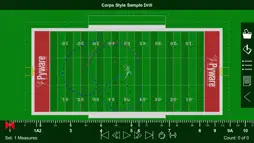
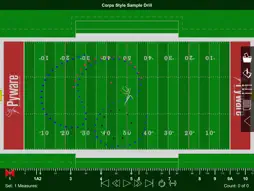
Pyware 3D Viewer allows you to take your Pyware 3D® drills anywhere! Designed for both instructors and performers, our Pyware 3D Viewer app eliminates the need to print anything. You’ll see your drills animate the way they were intended, because Pyware 3D Viewer actually opens Pyware 3D® files! Floats, Follow-The-Leaders, and curved pathways all animate flawlessly whether you’re watching the playback animation in fluid or step-time. Seamlessly retrieve file updates with the press of a button. View both Production Sheet and Text Box instruction information. Open drill files for any venue: football fields, gymnasiums, parade routes; if you can design it in Pyware 3D®, you can open it in Pyware 3D Viewer! Feature List -Open Pyware 3D® mobile drill files (.3da) -Files can be accessed from cloud storage services by entering a download link or scanning a QR code from within the app -Pinch zoom, rotate, tilt and shift to view the drill from any angle -Animation shows true pathways for all performers -Fluid or step-time animation -Up to 8x animation speed -Repeat and Play All animation controls -Count Track that allows you to stop and view any count of drill -View entire Production Sheet and Text Box instructions -Search for performers in the drill’s Cast List -Switch between ensemble view and performer view -See detailed performer coordinate instructions on any count of the drill -Spotlight an individual performer -Switch between 3D’s surfaces, flat color, and high contrast for the performance area -Loads grids for any performance area (fields, gyms, streets, stages, etc.) -Toggle step grid on/off -Easily refresh drill files to download the latest changes Compatible with Pyware 3D version 8 or greater.
What's New
Version 1.0.15 2026-09-24
- Various bug fixes Technical Analysis
Package Overview Basic metadata
Bundle ID
com.pygraphics.3dviewer.ios Current Version 1.0.15
Minimum iOS 15.6
Package Size App Store Size
Package Metadata 1 / 7 version records
Detailed binary, privacy manifest, framework, and Info.plist results have not been indexed for this package yet. The verified App Store and archive metadata above remains available.
Developer Information
Known Version Records
1 version record with stored package metadata • 7 known version records
Stored metadata does not guarantee a package is currently available to download.
| Details | Version / IDs | Version date | Action |
|---|---|---|---|
| 626.79 MB | v1.0.14 App Store ID: 832485078Build: 1.0.14 | 2026-08-05 09:06:47 | Paid / Arcade |
| Not archived | App Store ID: 832300453 | Unknown | Paid / Arcade |
| Not archived | App Store ID: 811497023 | Unknown | Paid / Arcade |
| Not archived | App Store ID: 776722673 | Unknown | Paid / Arcade |
| Not archived | App Store ID: 714242724 | Unknown | Paid / Arcade |
| Not archived | App Store ID: 693212655 | Unknown | Paid / Arcade |
| Not archived | App Store ID: 673182641 | Unknown | Paid / Arcade |