
Preview



Description
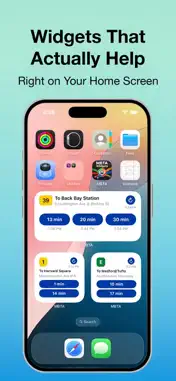
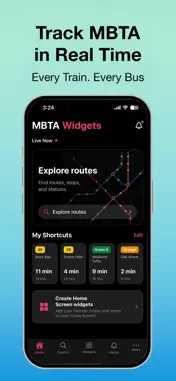
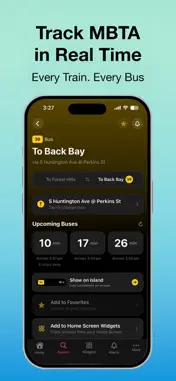
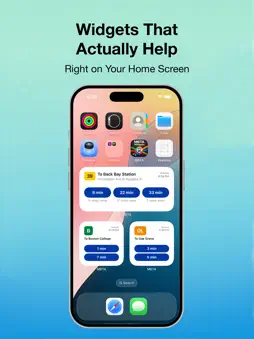
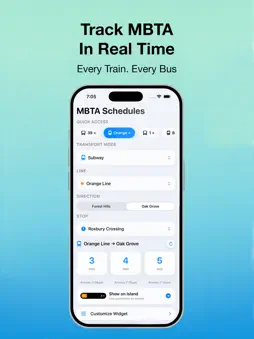
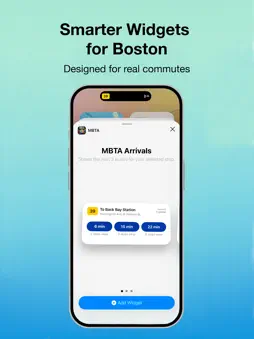
See your next MBTA arrival without opening an app. MBTA Widgets puts live bus, subway and Commuter Rail times right on your Home Screen. Free. No ads, no account, no location access. Time-Based Widgets: One widget that changes with your day. Set your route to work for 7–10 AM and your route home for 4–7 PM, and it switches automatically. Same square on your Home Screen, right route at the right time. Live Countdown: Start a countdown before you leave and track it on the Dynamic Island and Lock Screen the whole walk to your stop. It clears itself once your ride arrives. Service Alerts Built In: Suspensions and delays appear right alongside your arrival times, so an empty screen never leaves you guessing whether your line is down. All Three Modes: Bus, Subway and Commuter Rail. Commuter Rail shows both live-tracked and scheduled departures for the rest of the day, each clearly labelled. Always Know How Fresh It Is: Every widget shows when it last updated, with a refresh button for instant new data without opening the app. Ask Siri for your next arrival (Shortcuts). Save your regular stops as favourites. Up to three widgets, in small and medium sizes. This app is not affiliated with, endorsed by, or sponsored by the Massachusetts Bay Transportation Authority (MBTA). Data is provided via the official MBTA public API.
What's New
Version 3.2 2026-08-11
- Commuter Rail now shows departures, with all remaining trains for the day - Service alerts appear inline instead of an empty screen - Fixed widgets with clear... Technical Analysis
Package Overview Basic metadata
Bundle ID
Widgets.MBTA Current Version 3.2
Minimum iOS 18.6
Package Size App Store Size
Package Metadata 0 / 8 version records
Detailed binary, privacy manifest, framework, and Info.plist results have not been indexed for this package yet. The verified App Store and archive metadata above remains available.
Developer Information
Known Version Records
0 version records with stored package metadata • 8 known version records
Stored metadata does not guarantee a package is currently available to download.
| Details | Version / IDs | Version date | Action |
|---|---|---|---|
| Not archived | App Store ID: 886896398 | Unknown | Request Version |
| Not archived | App Store ID: 886299431 | Unknown | Request Version |
| Not archived | App Store ID: 886039142 | Unknown | Request Version |
| Not archived | App Store ID: 885693552 | Unknown | Request Version |
| Not archived | App Store ID: 884872924 | Unknown | Request Version |
| Not archived | App Store ID: 884514114 | Unknown | Request Version |
| Not archived | App Store ID: 884180217 | Unknown | Request Version |
| Not archived | App Store ID: 883680507 | Unknown | Request Version |