
Preview





Description
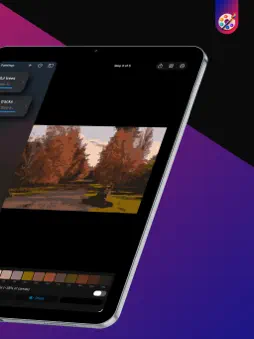
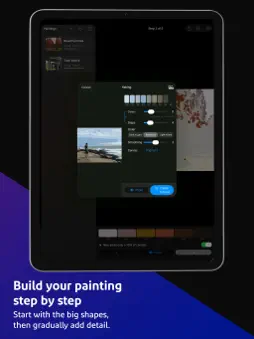
Turn any photo into a practical, step-by-step painting guide. PaintSteps simplifies your reference into progressive color stages, helping you see what to paint first and what to add next. Choose your medium and painting order, then work through the image, palette, and mixing guidance at your own pace. CREATE FROM ANY PHOTO - Choose an image from your photo library - Crop and position it for your canvas - Adjust colors, steps, smoothing, and canvas ratio - Build dark-to-light, light-to-dark, or balanced PAINT WITH CLEAR GUIDANCE - Follow progressive painting steps - Use color numbers and an adjustable drawing grid - Pinch to zoom while guides stay aligned - Press and hold to compare with the original photo TRACE WITH LINE ART - Turn your painting into an outline drawing to transfer onto the canvas - Choose the level of detail, or let Auto pick a step that's easy to trace - Add a drawing grid and color numbers, then print it or share it as a PDF or PNG - With Pro, choose thin, medium, or bold lines MIX COLORS - View practical paint-mixing suggestions for every palette color - Choose from built-in paint sets - With Pro, use your own paints and palettes, calibrate tinting strength, and edit recipes SAVE AND EXPORT - Keep your painting projects in one library - Export complete PDF tutorials, including the line art page, or individual PNG step images with Pro The free version includes up to two saved paintings, tutorials with up to four steps, and line art. PaintSteps Pro unlocks unlimited paintings, up to eight steps, custom paints and palettes, recipe editing, export, and line art thickness. PaintSteps Pro is a one-time purchase. No subscription. Mixing results are estimates. Always test a small mix before painting.
What's New
Version 1.2 2026-10-31
• iPhone Duo support. Open it like a book and the painting sits on one side of the fold, the controls on the other. Half-fold it on a table and the painting sta... Technical Analysis
Package Overview Basic metadata
Bundle ID
com.juantarallo.paintstepsapp Current Version 1.2
Minimum iOS 17.0
Package Size App Store Size
Package Metadata 0 / 0 version records
Detailed binary, privacy manifest, framework, and Info.plist results have not been indexed for this package yet. The verified App Store and archive metadata above remains available.
Known Version Records
0 version records with stored package metadata
Stored metadata does not guarantee a package is currently available to download.
| Details | Version / IDs | Version date | Action |
|---|