
Preview


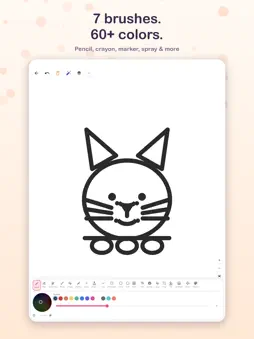


Description
Scribbly is the ultimate creative coloring app for kids! Turn any photo into a beautiful coloring page and bring it to life with a rainbow of colors, fun brushes, stickers, and clipart. DRAWING TOOLS: • 7 Brush Types — Pencil, Pen, Sketch Pen, Brush, Crayon, Marker & Spray • Shape Tools — Draw lines, rectangles, circles, ovals & grids • Fill & Gradient Fill — Tap to fill areas with solid colors or beautiful gradients • Adjustable Brush Size — Slide to make strokes thin or thick CREATIVE EXTRAS: • Stickers & Clipart — Add fun stickers and 40+ clipart across 8 categories (animals, vehicles, nature, food, space & more) • Text Tool — Add text with custom Google Fonts, colors, shadows & outlines • Photo to Outline — Import any photo and Scribbly converts it into a coloring page • HSV Color Wheel — Pick from millions of colors PROJECT MANAGEMENT: • Name Your Projects — Give each drawing a custom name when saving • Save & Resume — Save your coloring projects and come back anytime • Gallery View — Browse all your saved projects with thumbnail previews • Layers — Work with multiple layers for more control MORE FEATURES: • Undo & Redo — Fix mistakes instantly • Pinch to Zoom — Zoom in for fine details, zoom out to see the big picture • Lasso & Selection — Select and move elements on the canvas • Crop Tool — Crop your canvas to the perfect size • Print — Print your artwork directly from the app • Share & Export — Save finished artwork to your gallery or share with family and friends • PDF Export — Export your creations as PDF PERFECT FOR: • Kids ages 4–12 who love coloring and drawing • Creative play and screen time that sparks imagination • Developing fine motor skills and color recognition • Family bonding through art activities Scribbly is designed to be simple and intuitive so kids can jump right in and start creating. No account needed, no data collected — just pure creative fun! Download Scribbly now and let your child's creativity shine!
What's New
Version 1.2.1 2026-10-27
- Tablet & iPad optimizations with adaptive multi-column grid - Improved coloring page & art gallery previews - Enhanced drawing tools & brush performance - Bug... Technical Analysis
Package Overview Basic metadata
Bundle ID
com.m4infotech.coloring.kidsColoringApp Current Version 1.2.1
Minimum iOS 15.0
Package Size App Store Size
Package Metadata 0 / 0 version records
Detailed binary, privacy manifest, framework, and Info.plist results have not been indexed for this package yet. The verified App Store and archive metadata above remains available.
Developer Information
Known Version Records
0 version records with stored package metadata
Stored metadata does not guarantee a package is currently available to download.
| Details | Version / IDs | Version date | Action |
|---|