
Preview


Description
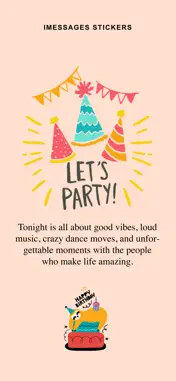
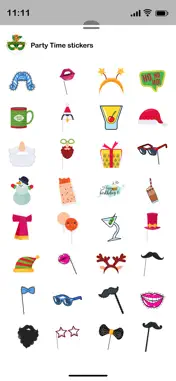
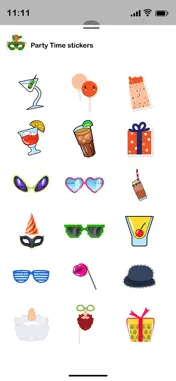
Download Party Time Sticker for iMessage Tips how to installing stickers: • To access Messages apps, compose a new Messages to a friend and tap the Messages App Store icon alongside the compose field. • Tap the four oval icon on the lower left corner to open the app drawer. From there, tap the plus icon labelled 'Store' to access the Messages App Store. • In the App Store, tap the Manage tab in the top right to add your purchased apps to your app drawer. How to Use Stickers: - Open iMessage from your iPhone. - Select your app's sticker - Just with a single tap send stickers. - Also simply long touch and peel off the stickers to add them with your texts!! or existing stickers. - Scale & Rotate stickers by using a second finger before you place it on a bubble. Please see our other sticker packs by clicking our name “Prashant Yadav” above.
What's New
Version 1.2 2026-02-23
- Added new Set of Party Time Stickers. Technical Analysis
Package Overview Basic metadata
Bundle ID
com.pyj.partysticker Current Version 1.2
Minimum iOS 15.6
Package Size App Store Size
Package Metadata 0 / 3 version records
Detailed binary, privacy manifest, framework, and Info.plist results have not been indexed for this package yet. The verified App Store and archive metadata above remains available.
Known Version Records
0 version records with stored package metadata • 3 known version records
Stored metadata does not guarantee a package is currently available to download.
| Details | Version / IDs | Version date | Action |
|---|---|---|---|
| Not archived | App Store ID: 882630911 | Unknown | Paid / Arcade |
| Not archived | App Store ID: 839012132 | Unknown | Paid / Arcade |
| Not archived | App Store ID: 823243585 | Unknown | Paid / Arcade |