
Preview









Description
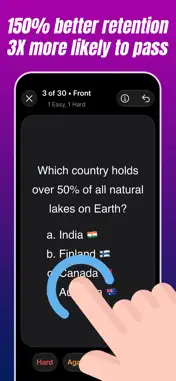
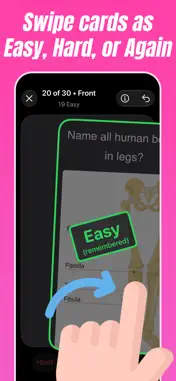
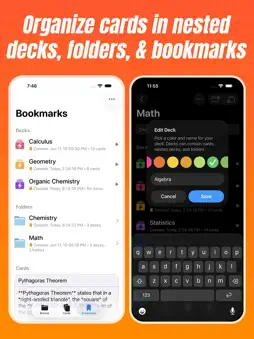
Crammer is an easy to use flashcards maker. It lets you create and study flashcards, decks and folders for every subject. It's the most efficient way to memorize your study material before quizzes and exams. It drastically improves your learning speed. It uses an advanced spaced repetition and smart active recall algorithm to ensure that you review flashcards right before you may forget them. After reviewing a flashcard, you tap it to reveal the answer on the back of the card. You swipe right if you easily remembered it, left if you forgot it, or down if it took some effort and would like to review again. Crammer's algorithm will show you harder cards first and more often to help you really optimize your memory and prevent you from forgetting your study materials. Practice it a few times before your quizzes and exams to remember the study material. Crammer is available on iPhone, Duo, iPad, and Mac. Here's how to use Crammer in your studies: - Create flashcards by either manually typing the Front and Back of the card or importing multiple cards in a long text (Front & Back separated by 3 hyphens --- and each card separated by 3 equal signs ===). The Front can have your question and the Back can have the answer. The Front & Back text supports Markdown and also LaTeX for Math formulas. So you can format text such as bold, italics, text color, text highlight, headings, links, images etc. You can also include diagrams (photos) in it. To use coloured text, use curly bracket format: {red}coloured text{} or {#FF0000}coloured text{} To highlight text, use square bracket format: [red]highlighted text[] or [#FF0000]highlighted text[] - Organize your flashcards into decks and folders for each subject as needed. Cards can belong to multiple decks at the same time. Decks and folders can also have subdecks and subfolders. - Practice decks or just bookmarked cards. - After reviewing the question on the front of the card, tap the card to flip it and reveal the answer on the back. Swipe RIGHT if the card was easy, LEFT if it you forgot it, or DOWN if you remembered but took some effort and would like to review again. - Once the whole deck is practiced, Crammer tells you how long you took to practice, and how many cards were hard. - Once you have reviewed a deck, you can instantly practice again with just a single tap. - Crammer notifies you if there's some card which you are constantly failing as it might be poorly designed. You can edit it to improve it. Make sure to swipe and reset its practice history after such fixes. - Swipe/Right Click on Mac to Bookmark important cards, decks, and folders for easy access. - Swipe/Right Click on Mac to Archive cards, decks, and folders which you no longer need. - Supports multiple choice questions (e.g. a, b, c, d). Use "1." before each option in markdown and it will automatically be rendered as a list of options. A setting lets you switch between numerical or alphabetical options. - All your decks, folders, and flashcards are seamlessly auto-synced across all your devices using iCloud. So you can create them on iPad/Mac and access them on iPhone. Supported keyboard shortcuts on Mac: - Enter or Spacebar to flip card - Left, Down and Right arrow keys for Hard, Again, and Easy ratings - Command + Z to undo a rating and go back to previous card - When editing a card, right click text to add photo - There are ongoing costs of developing and maintaining the app. I don't use intrusive ads, trackers, subscriptions, or other nonsense. So, the app comes with a trial version during which you can try all features. A one-time-only purchase gives you lifetime access to unlimited flashcard practices, all features, and lifetime updates. It also supports a small indie developer, helps me continue to develop it, and keeps the app ad-free. No subscriptions. It's a small and fair amount which helps cover development costs of future updates. Send me feedback at: [email protected]
What's New
Version 37 2026-11-07
- Optimized app and App Store screenshots for iPhone Duo - Updated screenshots for iPad Please support me by leaving a review on the App Store. Send me feedba... Technical Analysis
Package Overview Basic metadata
Bundle ID
com.pranapps.Minder Current Version 37
Minimum iOS 15
Package Size App Store Size
Package Metadata 0 / 0 version records
Detailed binary, privacy manifest, framework, and Info.plist results have not been indexed for this package yet. The verified App Store and archive metadata above remains available.
Developer Information
Known Version Records
0 version records with stored package metadata
Stored metadata does not guarantee a package is currently available to download.
| Details | Version / IDs | Version date | Action |
|---|