Preview





Description
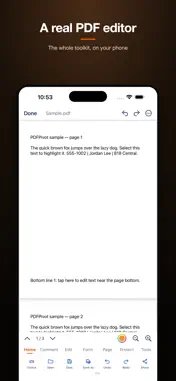
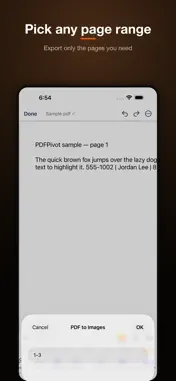
Open a PDF and actually change it — no subscription wall in the way. EDIT Tap a line of text and retype it. Add or swap images, draw, highlight, underline, strike through, stamp, and drop notes anywhere on the page. SIGN & FILL Type or draw a signature, save it, and reuse it. Fill interactive form fields and flatten them when you're done. SCAN Use the camera to make a clean, cropped PDF from paper. Run OCR so the text is selectable and searchable. ORGANIZE Insert, delete, rotate, reorder, extract, merge, split, and crop pages in a thumbnail grid. CONVERT PDF to Word, Excel, PowerPoint, text, HTML, EPUB, or images — and back again. MORE Watermarks, page numbers, headers and footers, compression, redaction, password protection, side-by-side compare, and a reflowable reader for ebooks. Files stay on your device. Every tool is free for five days — then keep editing for good with a one-time purchase. Privacy Policy: https://thenexuspivot.com/privacy/pdfpivot/ Terms of Use (EULA): https://www.apple.com/legal/internet-services/itunes/dev/stdeula/
What's New
Version 1.6.0 2026-09-07
• Try every tool free for five days. • Then keep them all for good with one payment. • Opening, reading, searching and sharing are always free. • A calmer, fast... Technical Analysis
Package Overview Basic metadata
Bundle ID
com.thenexuspivot.pdfpivot Current Version 1.6.0
Minimum iOS 16.0
Package Size App Store Size
Package Metadata 0 / 0 version records
Detailed binary, privacy manifest, framework, and Info.plist results have not been indexed for this package yet. The verified App Store and archive metadata above remains available.
Developer Information
Known Version Records
0 version records with stored package metadata
Stored metadata does not guarantee a package is currently available to download.
| Details | Version / IDs | Version date | Action |
|---|