
Preview




Description
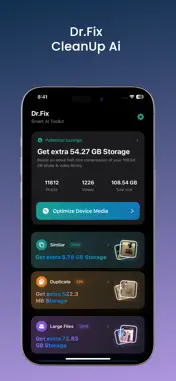
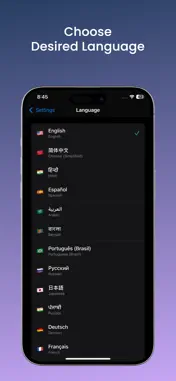
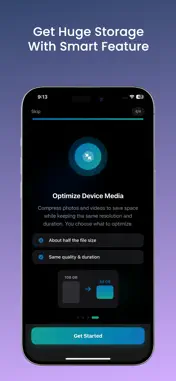
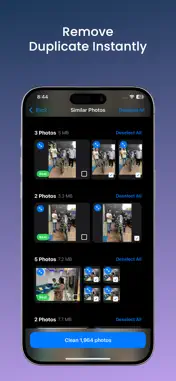
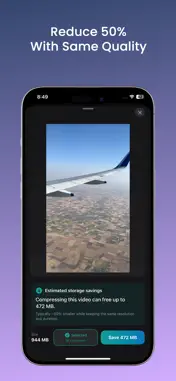
Dr.Fix Cleanup Ai helps you understand what is filling your iPhone and reclaim space—without guesswork. Scan your photo library, review clear categories, and delete or compress only what you choose. YOUR LIBRARY, YOUR CONTROL Dr.Fix is built around one idea: you stay in charge. Nothing is removed automatically. Every cleanup starts with a scan, shows you grouped results, and waits for you to select items and confirm before anything is deleted. SMART HOME OVERVIEW • See your photo and video library size at a glance • View estimated potential savings based on your library • Jump straight into Similar, Duplicate, Large Files, or Screenshots • Optimize device media when you are ready to compress SIMILAR & DUPLICATE PHOTOS Bursts, retakes, and near-identical shots add up fast. Dr.Fix groups: • Similar photos — shots that look alike but are not exact copies • Duplicate photos — exact or near-exact duplicates Each group highlights a suggested “Best” photo so you can keep the sharpest shot. Prefer a different one? Select any photo in the group—including the Best pick—and clean with confidence. LARGE FILES & SCREENSHOTS • Large Files — oversized photos and videos taking the most space • Screenshots — screen captures cluttering your camera roll Review thumbnails, select in bulk, and remove what you no longer need. OPTIMIZE DEVICE MEDIA Compress photos and videos to reduce file size while keeping the same resolution and duration. Preview items, select what to optimize, and choose whether to replace originals after compression—so you save space on your terms. PRIVATE BY DESIGN Your library is analyzed on your device. Dr.Fix needs Photos access to scan, organize, and help you clean or compress—the same permission you would grant any gallery tool. We do not ask you to upload your memories to the cloud to use core cleanup features. MADE FOR EVERYONE • 25+ languages — use Dr.Fix in the language you are most comfortable with • Light, Dark, or System appearance • Guided onboarding you can replay anytime from Settings • Simple, focused design built for quick daily cleanups HOW IT WORKS 1. Choose your language and take a quick tour 2. Allow Photos access when prompted 3. Let Dr.Fix scan your library 4. Open a category, review groups or items, and select what to remove or compress 5. Confirm—and enjoy a lighter, more organized library PERFECT FOR • iPhone users running low on storage • Anyone with years of similar shots and duplicates • People who collect screenshots and forget to delete them • Travelers and parents with large videos • Anyone who wants a cleaner Camera Roll without losing control IMPORTANT NOTES • Storage savings shown in the app are estimates and depend on your library and the items you select. • Deleted photos and videos are removed from your library using system APIs—review your selection carefully before confirming. • Compression results vary by file type and content; always keep backups of items you cannot replace. SUPPORT & FEEDBACK Questions or ideas? Tap Contact Us in Settings to reach our team online. Contact us : for app support and more information, reach out to us at : [email protected] Term of Use : https://www.apple.com/legal/internet-services/itunes/dev/stdeula/ Privacy Policy : https://ai-cleanup.com/privacy-policy.html Download Dr.Fix Cleanup Ai today—and give your photo library the cleanup it deserves.
What's New
Version 10 2026-07-30
Bug Fixes. Technical Analysis
Package Overview Basic metadata
Bundle ID
com.mytoolsapps.drfix.Dr-Fix-Cleanup-Ai Current Version 10
Minimum iOS 18.0
Package Size App Store Size
Package Metadata 0 / 0 version records
Detailed binary, privacy manifest, framework, and Info.plist results have not been indexed for this package yet. The verified App Store and archive metadata above remains available.
Developer Information
Known Version Records
0 version records with stored package metadata
Stored metadata does not guarantee a package is currently available to download.
| Details | Version / IDs | Version date | Action |
|---|