
Preview








Description
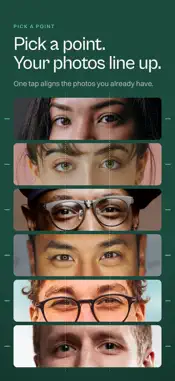
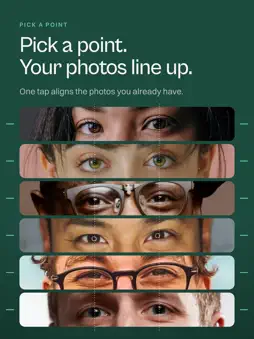
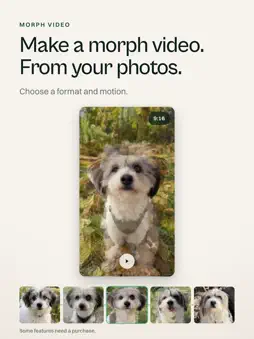
Line up your own photos for a before & after that actually lines up. Make a smooth flip-through video that shows the change, not the camera angle. USE IT FOR Fitness progress, hair and beard grow-ins, skin, smiles, bump tracking, kids, pet glow-ups, plants, art, builds, and client before & afters for presentation. HOW IT WORKS Tap once and Lign finds the anchor in every photo. Use eyes, nose tip, mouth, chin, shoulders, hips, or points on a dog or cat. If a photo has more than one face or animal, choose the one you mean. For objects, tap what you want to line up with Object Anchor (Beta). For anything else, place your own points by hand. Choose Smart for the best framing, Clean Edges for a finished crop, or Level to keep photos upright. GET THE NEXT SHOT RIGHT Use the built-in camera to see your last photo as a see-through guide. Lign lets you know when you’re lined up and can take the photo automatically for faces, bodies, and pets. EXPORT AND SHARE Save aligned stills as JPEG or HEIC, or make a video with cuts, cross-fades, or morphs between photos. Export in Original, 9:16, 1:1, 4:5, or 16:9, then save straight to Photos for Reels, TikTok, and Stories. Bring in photos from your library, camera, Files, paste, drag and drop, AirDrop, or the share sheet. Lign also works with Shortcuts and Siri on iPhone and iPad. PRIVATE BY DESIGN Everything happens on your device. Your photos are never uploaded, and you don’t need an account. Lign uses no generative AI. It only moves, scales, and rotates your real photos. FREE AND PRO Free includes eye or nose-tip alignment, Smart mode, up to 5 photos per export, square video, and a small Lign mark. Lign Pro unlocks every anchor, Clean Edges and Level, every format, unlimited photos per export, custom timing and loops, HEIC and maximum quality, plus exports without the Lign mark. With Family Sharing turned on, you and up to five family members can use Lign Pro. Whatever you’re comparing, Lign lines it up. — Pro is a subscription. Payment is charged to your Apple ID at confirmation of purchase. Auto-renews unless turned off at least 24 hours before the end of the period. You can manage subscriptions in Settings. Terms of Use (EULA): https://www.apple.com/legal/internet-services/itunes/appstore/dev/stdeula/ Privacy Policy: https://getlign.app/legal/privacy-policy
What's New
Version 1.1 2026-10-23
Whole Photo keeps every photo whole. • On a shared canvas, your chosen point stays put. Set face size, height, and rotation. It pulls back and suggests Whole Ph... Technical Analysis
Package Overview Basic metadata
Bundle ID
dev.pomper.EyeMatch Current Version 1.1
Minimum iOS 18.0
Package Size App Store Size
Package Metadata 0 / 0 version records
Detailed binary, privacy manifest, framework, and Info.plist results have not been indexed for this package yet. The verified App Store and archive metadata above remains available.
Developer Information
Known Version Records
0 version records with stored package metadata
Stored metadata does not guarantee a package is currently available to download.
| Details | Version / IDs | Version date | Action |
|---|