
Preview



Description
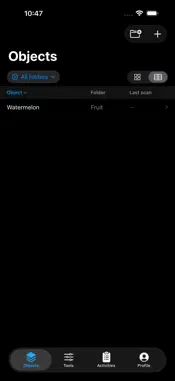
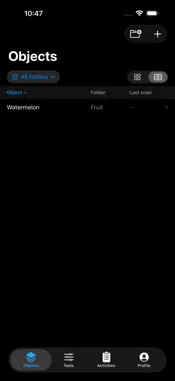
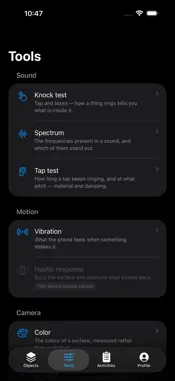
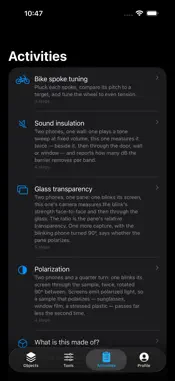
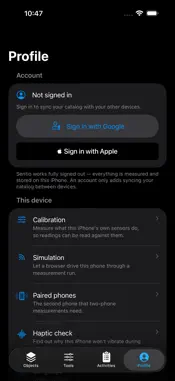
Sentio turns the sensors already in your iPhone — microphone, camera, torch, accelerometer — into a set of measurement tools, and keeps every measurement on the device. WHAT IT DOES Sentio provides a growing registry of measurement tools. Each one uses the phone's sensors in a specific way: • Spectrum — record ambient sound and see its frequency content, peaks and decay • Color and light — measure colour and brightness with the camera's exposure locked • Blinking — detect and time periodic light sources • Knock — tap an object and capture how it rings and how quickly it damps • Polarization — measure how much light passes through at a quarter turn • Composite tools that drive the torch or the haptic engine and measure the response Some tools use two phones together — one emits, one measures — over a direct Bluetooth link, with no account required. ORGANISE WHAT YOU MEASURE Measurements attach to a simple catalog: categories, objects, and the scenario you measured them for. You can also capture first and file it later. Any measurement can be given a ground-truth label after the fact, so a session of guesses becomes a record you can actually check yourself against. Guided activities chain several tools into one procedure when a single sensor is not enough. OFFLINE BY DEFAULT Everything runs on the device. There is no account, no upload step, and no network call needed to take or view a measurement — the app is fully usable in Airplane Mode, and that is the normal way to use it. Signing in with Apple or Google is entirely optional and does one thing: sync your own catalog between your own devices. HONEST ABOUT WHAT IT IS NOT Sentio is an instrument, not an oracle. It reports what the sensors measured and how it derived the numbers. It does not claim laboratory accuracy, it is not a medical or diagnostic device, and it should not be used to make safety decisions. Phone sensors vary between models; the tools are built around relative and resonance-based features precisely because absolute levels are not comparable across devices. PERMISSIONS • Microphone — required by the audio tools, used only while a measurement is running • Camera — required by the optical tools • Bluetooth — only for the two-phone tools, to find the other handset No advertising, no analytics SDK, no third-party trackers.
What's New
Version 0.4.1 2026-10-01
• Guided calibration checks your phone's sensors in sequence. • Live measurement feedback shows what is being detected and when the reading settles. • Create fo... Technical Analysis
Package Overview Basic metadata
Bundle ID
org.sntio Current Version 0.4.1
Minimum iOS 17.0
Package Size App Store Size
Package Metadata 0 / 0 version records
Detailed binary, privacy manifest, framework, and Info.plist results have not been indexed for this package yet. The verified App Store and archive metadata above remains available.
Developer Information
Known Version Records
0 version records with stored package metadata
Stored metadata does not guarantee a package is currently available to download.
| Details | Version / IDs | Version date | Action |
|---|