
Preview

Description
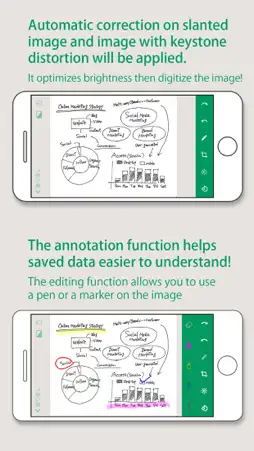
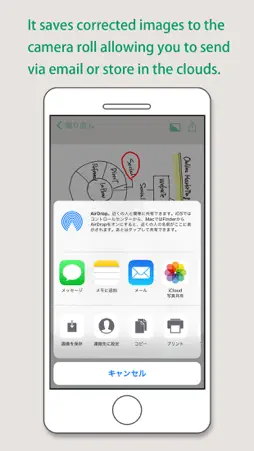
This App enables easy scanning and creation of enhanced data of the writings and drawings on our Ink-free, Dust-free Next Generation CleanBoard that is also Eco-Friendly and Clean. Start this App after installation to shoot the CleanBoard surface (where writing exists). This action will enable the app to automatically detect the contour of the writing surface and creates an enhanced digital data image after corrections such as keystone correction (data format is your choice of JPEG or PDF). You can easily share or organize the data saved in the camera roll and send via email or store in the cloud. You can edit the saved images with ease, using functions such as brightness, contrast, trimming and rotation. To use this App, PLUS CleanBoard is necessary. For details, please check our web page:https://www.plus-america.com/pages/meetingtools (Main Functions) 1. Shooting When the written surface of CleanBoard is within the shooting range, Clean board automatically recognizes the written area and snaps the image. The App corrects the tilt and keystone to create an optimized image. 2. Brightness and Contrast Adjustment Brightness and Contrast Adjustment can be applied to the saved images. 3. Trimming Saved images can be trimmed. 4. Annotation Tools Saved images can be annotated with a Pen or a Marker tool. 5. Saving image format Save images in the format of your choice of JPEG or PDF. 【Other functions】 ・Shooting Mode Setting(Automatic/Manual selection) ・Rotation function ・Help 【How to use App】 1. Star the App 2. Place the written surface of CleanBoard within the shooting range. The written area is automatically recognized and shooting starts. 3. Once the corrected image appears, brightness, contrast adjustment and saving functions are possible. ※Reflections of lighting in the image may affect the saved image. Avoid reflections that appear on the written surface when shooting the picture.
What's New
Version 1.0.5 2021-07-19
Added Panel Type. Technical Analysis
Package Overview Basic metadata
Bundle ID
jp.co.plus.MX-03 Current Version 1.0.5
Minimum iOS 9.0
Package Size App Store Size
Package Metadata 0 / 6 version records
0.0 / 5.0 (0 ratings)
Detailed binary, privacy manifest, framework, and Info.plist results have not been indexed for this package yet. The verified App Store and archive metadata above remains available.
Developer Information
Known Version Records
0 version records with stored package metadata • 6 known version records
Stored metadata does not guarantee a package is currently available to download.
| Details | Version / IDs | Version date | Action |
|---|---|---|---|
| Not archived | App Store ID: 842748526 | Unknown | Request Version |
| Not archived | App Store ID: 840909966 | Unknown | Request Version |
| Not archived | App Store ID: 839677222 | Unknown | Request Version |
| Not archived | App Store ID: 835847656 | Unknown | Request Version |
| Not archived | App Store ID: 835422640 | Unknown | Request Version |
| Not archived | App Store ID: 833829541 | Unknown | Request Version |