
Plot Dispatch: Unified Inbox App Icon

Plot Dispatch: Unified Inbox

Productivity • Plot Technologies
12+ v2.0.23 Recorded price: Free App Store →
IPA Analysis
Technical Specs
Bundle ID day.plot.app
Version 2.0.23
App Store Size 69.67 MB
Minimum iOS 16.0
Devices iPhone, iPad, iPod touch
Catalog release date 2026-06-29
Latest recorded version date 2026-11-02
Features & Support
Advisory 12+
Languages (1)
EN
Top In App Purchases
No In App Purchases Listed

Preview

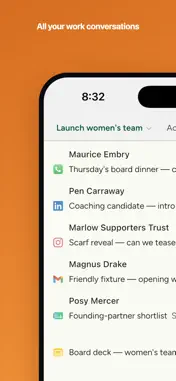
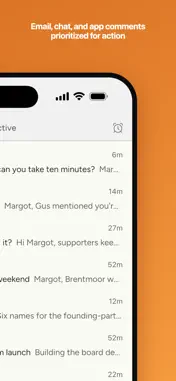
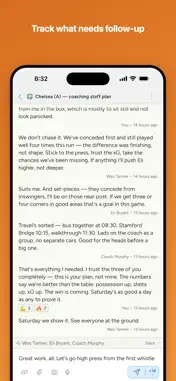
Plot Dispatch: Unified Inbox screenshot 1 Plot Dispatch: Unified Inbox screenshot 2 Plot Dispatch: Unified Inbox screenshot 3 Plot Dispatch: Unified Inbox screenshot 4 Plot Dispatch: Unified Inbox screenshot 5 Plot Dispatch: Unified Inbox screenshot 6 Plot Dispatch: Unified Inbox screenshot 7 Plot Dispatch: Unified Inbox screenshot 8 Plot Dispatch: Unified Inbox screenshot 9 Plot Dispatch: Unified Inbox screenshot 10 Plot Dispatch: Unified Inbox screenshot 11

Description

Keep work moving without chasing notifications. Plot Dispatch brings your key conversations from email, chat, and apps into one place, prioritized for action. PUT YOUR BEST ENERGY INTO CONVERSATIONS THAT MATTER Traditional inboxes are a mess of everything from receipts and marketing to the conversations your success depends on. Effective leaders learn to give their attention to conversations that matter, and ignore the rest. Dispatch makes that easy by showing only what needs your attention today, with the most important (rather than most recent) first. Turn off your notifications and have more impact in twenty minutes than in a day shot through with interruptions. AN ACTION PLAN FOR YOUR MOST IMPORTANT CONVERSATIONS Conversations from email, chat, and apps land in one place, ranked by priority. Each stays active until you mark it done or schedule it for another day. Reply to ten conversations simply by typing ten responses and pressing Enter after each. Nothing gets dropped, whether it's waiting on you or on someone else. KEEP CONNECTED TO YOUR COLLABORATORS AND PARTNERS The client you've had for years, the partner you're building something with, the collaborator you only ever hear from on WhatsApp. Each has a single page in Dispatch, however many apps they reach you through, with your latest conversations and your private notes. One search finds everything you've said to each other, and when you write, Dispatch sends through the channel you last used together. Set a reminder to check in, and it shows up alongside your conversations that day. Group people to reach them all at once or to keep a list. THOUGHTFUL DESIGN • Works fully offline, and syncs across your iPhone, iPad, Mac, and the web • Hands-free dictation: speak your reply and it's cleaned up for you • Keyboard-driven, with a command bar and shortcuts • Replies written outside your working hours send at the next opening • Skip the subject and Dispatch writes one for you WORKS WITH YOUR TOOLS Connect Gmail, Outlook, Slack, Microsoft Teams, Google Chat, WhatsApp, LinkedIn, Instagram, GitHub, Linear, and Google Drive. Read and reply in one place, and jump to the source whenever you need it. PRIVATE AND SECURE Your conversations stay yours. Your data is encrypted in transit, and everything your connections bring in is private to you. Removing a connection disconnects the account and revokes Plot's access. Start with a 14-day free trial of Pro, then choose Core or Pro. Get back to your best work. Plot Dispatch Core and Pro are auto-renewing subscriptions, billed through your App Store account after the free trial. Subscriptions auto-renew until canceled; manage or cancel anytime in your App Store account. Terms of Use (EULA): https://useplot.com/terms?utm_source=ios Privacy Policy: https://useplot.com/privacy?utm_source=ios

What's New

Version 2.0.23 2026-11-02
What's new in this version: Undo • ⌘Z takes back your last action: muting, Done, a reminder, Someday, moving or splitting a thread, changing who it's shared w...What's new in this version: Undo • ⌘Z takes back your last action: muting, Done, a reminder, Someday, moving or splitting a thread, changing who it's shared with. Soon after you send, it also takes back the reply and puts the text back in the composer. While you type, ⌘Z still undoes your typing first. On phones and the web, Undo is at the top of the ⋯ menu. • Muting a thread now shows its own toast beside the sender's, and you can undo either one. Undo toasts sit in the top right: tap anywhere on one to undo. • Splitting a contact from a person, or removing someone from a group, happens at once. Undo puts it back. Reminders and Someday • Remind and Done sit beside the main button in the reply box. Light one and the main button does it: with a message it sends, then reminds you on the day you picked or marks the thread done. With nothing typed, set a reminder or Someday and press the button to schedule the thread. • Move threads to Someday. Set a thread aside with no day in mind from the defer dialog (⌘D). Someday threads wait in their own collapsed section after Upcoming. Privacy • On a thread you share, messages and attachments that arrive through someone else's connected account are visible only to them. What either of you writes in Plot is still shared. Their mail no longer marks the thread unread for you or notifies you. • The names and photos you see for people come only from your own mail, messages and contacts, or from a Plot member's own profile. Some people show as their email address until your own mail or contacts name them. People and email • A person with several addresses shows once: in a thread's avatars, its To and CC lines, and when you share, pick recipients or @mention. • Tap a phone number on a person's page to call them. • Add a group to an email and its people become recipients, so you see exactly who it goes to. People in an announce group you manage go on Bcc. A group you emailed shows in the new-thread list, so you can write to it again. • Retire a contact that's no longer valid, like a past employer's address. It stays with the person, dimmed, and is never offered when you write to them. • Emoji reactions to emails show as reactions on the message, and a reaction you add in Dispatch is sent to Gmail. Threads • On a phone, press and hold a message to open its menu, with your recent reactions along the top. Press and hold a link, phone number or email address to open, call or copy it. Fixes • A note you write on a thread you share no longer goes out through someone else's email or chat account. • Writing an email to a group no longer sends it to you alone. • An unread thread previews the message that made it unread, not an older one you already answered. • Naming a contact after someone you already have joins them at once. • On the night the clocks change, Plot no longer works your computer hard or shows the wrong day. • Mac: now installs on macOS 14 Sonoma or later.

Technical Analysis

Package Overview Basic metadata
Bundle ID day.plot.app
Current Version 2.0.23
Minimum iOS 16.0
Package Size App Store Size
Package Metadata 0 / 0 version records
Detailed binary, privacy manifest, framework, and Info.plist results have not been indexed for this package yet. The verified App Store and archive metadata above remains available.

Developer Information

Known Version Records

0 version records with stored package metadata

Stored metadata does not guarantee a package is currently available to download.

Details Version / IDs Version date Action