Preview






Description
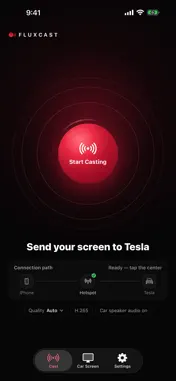
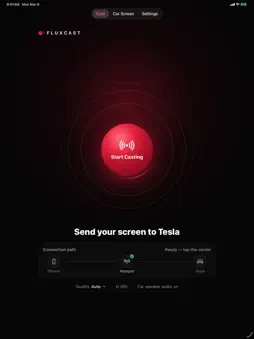
FluxCast is the ultimate screen mirroring solution designed for Tesla owners. Seamlessly view and control your iPhone or iPad directly on Tesla's large display. Why FluxCast? Even though Tesla vehicles do not support Apple CarPlay, FluxCast lets you freely enjoy navigation, music, and video content from your iPhone. It delivers ultra-low latency streaming with less than 300ms delay. Key Features: • Drive Cockpit on the Car Screen (New) Show a gauge cluster (16 themes — round, card or wide), widgets (clock & weather, this drive, compass & altitude) and map layouts (PiP, side-by-side, auto) together with your mirrored screen. Adjust them in the app's Car Screen tab — changes appear in the car instantly. • FluxMate Dashboard — Mirroring + Live Vehicle Data Turn on "FluxMate Dashboard" in Settings and open https://fluxmate.app/cast in your Tesla browser. Your mirrored screen shows on the left, while your live FluxMate dashboard — drive efficiency, charging, battery (SoC), tire pressure, weather and more — shows on the right, all on a single screen. It's optional and off by default; classic full-screen mirroring continues to work without it. • Ultra-Low Latency Streaming Provides near real-time responsiveness, ensuring a smooth experience even when using navigation. • H.265 / H.264 — Crystal-Clear Quality Sharp and smooth even during fast motion. Newer Teslas (MCU3 · AMD Ryzen) automatically use the efficient H.265 codec, while older models (MCU2 · Intel Atom) use the reliable MJPEG — matched to your car. - Default: H.265 at 720p (the sweet spot of sharpness and stability — recommended) - Maximum quality: manually selectable up to 1080p at 60 fps - Older Teslas (MCU2): MJPEG at 540p by default for reliable playback - Sound Support • Safe Driving Guard Turns on automatically when driving is detected and limits video playback, then returns to normal when the car stops. You can turn it on or off anytime in Settings. • Thermal & Battery Optimization Variable Frame Rate (VFR) and thermal monitoring help prevent overheating and reduce battery consumption during long drives. • VPN Bypass If your carrier blocks the connection, enable the built-in VPN in Settings to instantly restore mirroring. How to Use: 1. Turn on Personal Hotspot on your iPhone and connect your Tesla to it via Wi-Fi ("Remain Connected in Drive" enabled). 2. Tap "Start Mirroring" in the FluxCast app. 3. Enter the provided local URL (https://cast.fluxmate.app or http://192.0.0.2:8080) in the Tesla browser to begin mirroring instantly. Languages: English, Korean, Japanese, Chinese (Simplified, Traditional), German, French, Spanish, Italian, Dutch, Swedish, Danish, Norwegian Notes: If connection fails due to carrier restrictions, enable the VPN option in Settings to bypass the network policy. Due to iOS system policies, DRM-protected content such as Netflix and Apple Music cannot be mirrored. DO NOT use the app while driving. FluxCast requires MCU2 hardware. including Model S(March 2018 or later) / Model 3 / Model Y / Model X(March 2018 or later) This is NOT an official app of Tesla. Tesla is trademark of Tesla, Inc., registered in the U.S. and other countries. Terms of Use : https://www.apple.com/legal/internet-services/itunes/dev/stdeula/
What's New
Version 1.6.1 2026-11-16
What's New in v1.6.1 More accurate speed camera alerts; tap the banner to dismiss. v1.6.0 • Drive Cockpit — gauge cluster (16 themes), widgets and map layouts ...What's New in v1.6.1 More accurate speed camera alerts; tap the banner to dismiss. v1.6.0 • Drive Cockpit — gauge cluster (16 themes), widgets and map layouts on the car screen • New Car Screen tab — changes in the app appear in the car instantly • Now in 13 languages • Refreshed app design and simpler onboarding • Connection check now also shows what's missing while mirroring Technical Analysis
Package Overview Basic metadata
Bundle ID
com.fluxcast.app Current Version 1.6.1
Minimum iOS 16.0
Package Size App Store Size
Package Metadata 0 / 13 version records
Detailed binary, privacy manifest, framework, and Info.plist results have not been indexed for this package yet. The verified App Store and archive metadata above remains available.
Developer Information
Known Version Records
0 version records with stored package metadata • 13 known version records
Stored metadata does not guarantee a package is currently available to download.
| Details | Version / IDs | Version date | Action |
|---|---|---|---|
| Not archived | App Store ID: 887384436 | Unknown | Request Version |
| Not archived | App Store ID: 886913900 | Unknown | Request Version |
| Not archived | App Store ID: 886698638 | Unknown | Request Version |
| Not archived | App Store ID: 886407529 | Unknown | Request Version |
| Not archived | App Store ID: 886256833 | Unknown | Request Version |
| Not archived | App Store ID: 886043583 | Unknown | Request Version |
| Not archived | App Store ID: 885777208 | Unknown | Request Version |
| Not archived | App Store ID: 884938832 | Unknown | Request Version |
| Not archived | App Store ID: 884822352 | Unknown | Request Version |
| Not archived | App Store ID: 884761781 | Unknown | Request Version |
| Not archived | App Store ID: 884707512 | Unknown | Request Version |
| Not archived | App Store ID: 884677663 | Unknown | Request Version |
| Not archived | App Store ID: 884597103 | Unknown | Request Version |