
Preview








Description
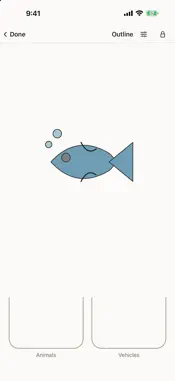
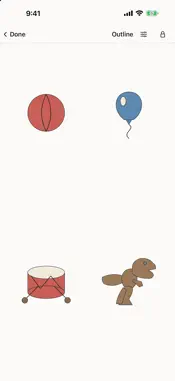
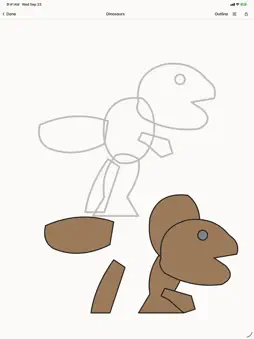
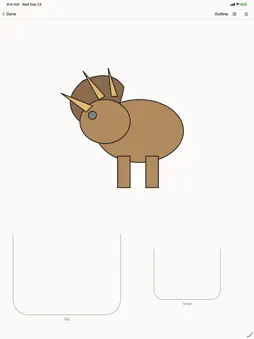
Plain and Simple Toddler is eleven calm activities for a young child, and a lock so they stay in them. FLIP BOOK Pick a category and hand the device over. Your child swipes or taps through simple pictures, one at a time. The whole page is the target. STICKER SCENE A tray of pictures and an empty page. Tap a picture and it lands; drag it about, or back to the tray to take it off. Nothing to finish. TAP Pictures that bounce when touched and stay. Nothing finishes. The child leaves via the shelf. COLOUR IN The picture starts as an outline. Tap a part and its colour appears. There is no palette — every part already knows its own colour. A near miss still colours the nearest part. Wipe a finger across a part to take the colour off again. WHICH ONE? One picture at the top, a few underneath. A right tap brings that picture's colour. A wrong tap fades and settles back — no red mark, no cross, and the one they got wrong is never taken away. How many they choose between is your setting. FIND THE PAIR Four pictures, two of them the same. A wrong tap fades and settles back. Nothing is taken away. SHADOWS A dark shape at the top and the pictures underneath. Tap the one that made it, and the shadow fills in. The same kind of question as Which One?, with the colour and the detail taken away. QUIET SORT One picture and two baskets. Tap the basket it belongs in — animals or vehicles, food or weather, whichever pair you chose in Settings. It asks what kind of thing something is. BIG AND SMALL One picture and two baskets. Is it the big one or the small one? A wrong basket fades and settles back. PUZZLE Two or three pieces of one picture, and a faint outline of the whole. Drag each piece home. A piece that does not land comes quietly back. TRACING Follow a light grey line with a finger and the picture fills in. Stray outside and the mark fades rather than turning red. Finish, and the app says what they made. No score, and never a mark out of ten. COLOUR, OR NOT Every picture can be shown in colour or as plain black-and-white line art. You can switch mid-session. THE PICTURES Shapes, flowers, vehicles, diggers, animals, dinosaurs, toys, food, weather, the alphabet in capital and small letters, and the numbers. The letters are the strokes a child is taught to write, not the outline of a printed letter. A LOCK, AND AN HONEST WORD ABOUT IT One tap hides every button, and a two-second hold brings them back. It does not stop a child swiping home — no app can — and on an iPad it does not stop them resizing or closing the window. Guided Access does both; the app shows you how to switch it on, then stops mentioning it. WHAT IT DOES NOT DO No adverts. No purchases, no subscription, nothing to unlock. No accounts. No analytics. No sound. No scores, no stars, no streaks, and no record of which pictures your child has finished. Settings has Rate, Share, and More from Plain and Simple. They sit behind a sum a grown-up has to solve, so a small person cannot tap their way to the App Store. Nothing is downloaded after you install it. Settings stay on your device and copy to your own iCloud. We never see them. There is no server to see them with. Made by one person, who uses it.
What's New
Version 1.4 2026-09-25
Puzzle pieces now crop cleanly. Tap stays on-shelf when a picture is finished. T. rex is drawn properly. Privacy and support copy match what the app actually do...Puzzle pieces now crop cleanly. Tap stays on-shelf when a picture is finished. T. rex is drawn properly. Privacy and support copy match what the app actually does. Still eleven quiet activities. Nothing collected. No ads. No accounts. Lock stays with the activity. Technical Analysis
Package Overview Basic metadata
Bundle ID
com.plainandsimple.toddler Current Version 1.4
Minimum iOS 18.0
Package Size App Store Size
Package Metadata 0 / 0 version records
Detailed binary, privacy manifest, framework, and Info.plist results have not been indexed for this package yet. The verified App Store and archive metadata above remains available.
Developer Information
Known Version Records
0 version records with stored package metadata
Stored metadata does not guarantee a package is currently available to download.
| Details | Version / IDs | Version date | Action |
|---|