Preview










Description
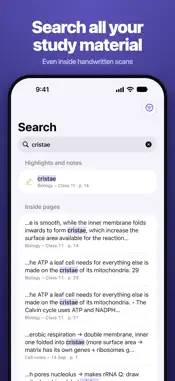
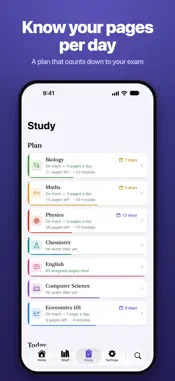
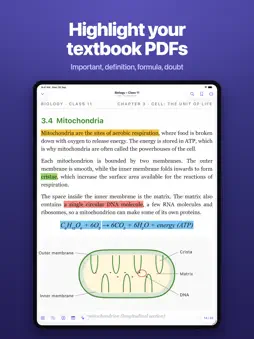
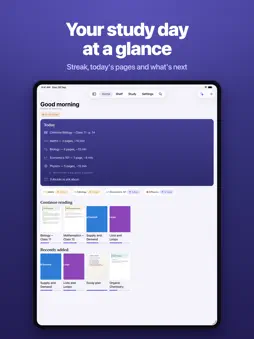
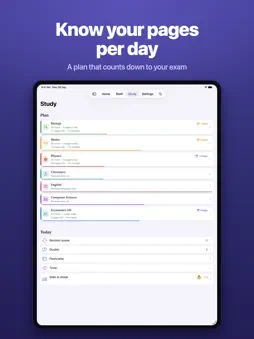
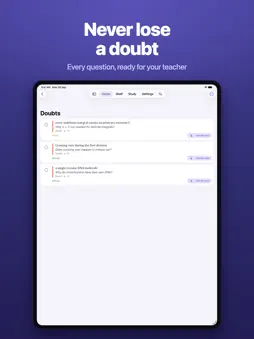
Turn your textbooks, class notes and handouts into one searchable library on your iPhone and iPad. Scan pages with the camera or import PDFs, and PageShelf files them by subject and chapter so every page is a tap away. No account, and it works offline. DIGITIZE YOUR STUDY MATERIAL • Scan notes, worksheets and book pages with the camera. Edges are found and straightened for you; review, reorder and pick a filter before saving. • Import PDFs and photos from Files, WhatsApp, email or Safari. Password-protected PDFs open too. • Scanned more pages on Wednesday? Add them to the end of Monday's notes instead of starting a new file. • File a 700-page textbook into its chapters without splitting the PDF. FIND ANY PAGE • Text recognition runs on your device and turns scans into searchable PDFs. • Search inside one book or across your whole library. • Page numbers match the printed book, not the PDF. READ AND HIGHLIGHT • Highlight in five colors with a meaning you can rename: important, definition, formula, doubt, example. • Every "doubt" collects in one list to take to your teacher. • Night paper tones, margin cropping for scans, bookmarks, dictionary, translation and read aloud. • Copy a passage with its book and page reference. • On iPad: your textbook and your notes side by side, and Apple Pencil ink. REVISE WHAT YOU READ • Add an exam date and PageShelf works out how many pages a day keep you on track, and tells you honestly when you're behind. • Chapters come back for revision after 1, 3, 7, 21 and 60 days. • A reading streak that forgives one missed day a week. • Widgets, a study timer on the Lock Screen, and Siri shortcuts. WITH APPLE INTELLIGENCE On supported devices: ask the tutor about the pages you have open, summarize a chapter, take a quick check-up and collect questions from past papers. With Pro, it can also turn highlights into flashcards you review before saving. PRIVATE BY DESIGN • No account, no ads, no tracking. • Your library stays on your device, with backups to your own iCloud Drive (automatic every day with Pro) and a one-file backup you can keep anywhere. • Text recognition, search and read aloud run on your device. Apple Intelligence features run on your device. No third-party AI service is used. On devices that can't run Apple's model, they use Apple's Private Cloud Compute only if you allow it. FREE AND PRO Free: 3 subjects per term, 50 scanned pages a month, 10 highlights per document, page search in 2 documents and a plan for 1 subject. Importing, reading, bookmarks, backing up by hand, restoring and library export are always free. PageShelf Pro (monthly, yearly or one-time) unlocks unlimited subjects, scans, highlights and search, plans for every subject, flashcards, revision-sheet export, full stats and an automatic daily iCloud backup. PageShelf is for organizing your own study materials. It has no sharing between users, and you are responsible for the content you add. Disclaimer for auto-renew subscription:- ◦ Subscription payments will be charged via Apple ID account at purchase confirmation. ◦ Subscription auto-renews unless canceled at least 24 hours prior to the current billing period. ◦ Manage subscriptions and turn off auto-renew in App Store Account Settings after purchase. ◦ Prices may vary by location. ◦ Family sharing is not supported. Terms of Use: https://apps.bitclone.in/pageshelf/terms Privacy Policy: https://apps.bitclone.in/pageshelf/privacy
What's New
Version 1.1 2026-11-16
- bug fixes Technical Analysis
Package Overview Basic metadata
Bundle ID
com.decmac.Shelfmark Current Version 1.1
Minimum iOS 18.0
Package Size App Store Size
Package Metadata 0 / 0 version records
Detailed binary, privacy manifest, framework, and Info.plist results have not been indexed for this package yet. The verified App Store and archive metadata above remains available.
Developer Information
Known Version Records
0 version records with stored package metadata
Stored metadata does not guarantee a package is currently available to download.
| Details | Version / IDs | Version date | Action |
|---|