
Preview




Description
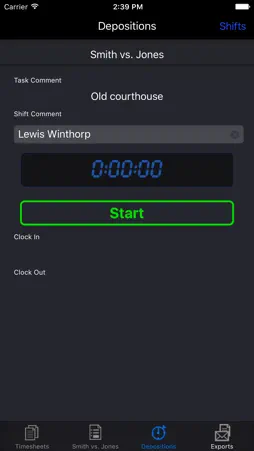
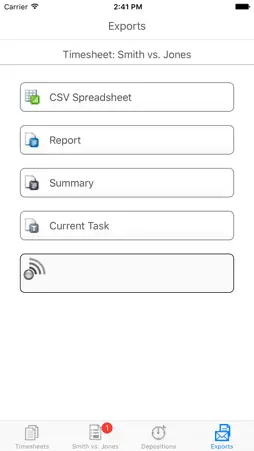
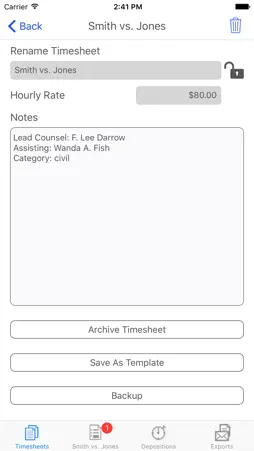
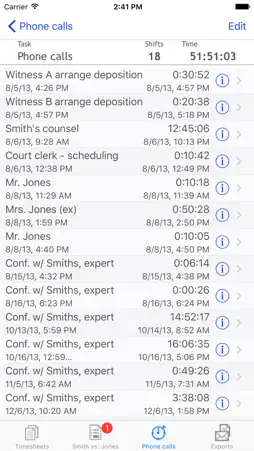
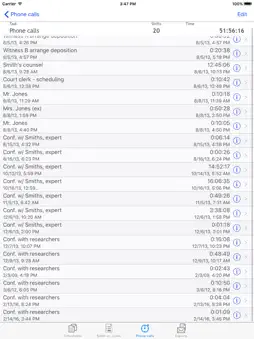
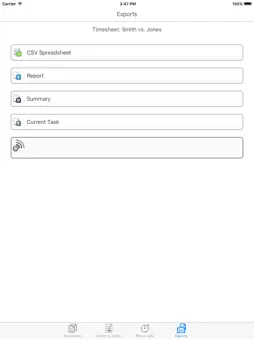
The location-aware time tracker with a focus on clean, ergonomic workflow for efficient tracking of your activities. "Hands down the best time tracking app for the iPhone (5 Stars) by Eddiela" "Best one (5 Stars) by mcomte" iPunchclock makes it easy to track the time you spend on different tasks. Whether you are a professional who bills by the hour, or just have a serious interest in tracking what you do, and when and where, to the second, iPunchclock is there for you. Thanks to the iPhone's awesome technology, iPunchclock is also location savvy, and along with the time and date, can store the longitude, latitude and altitude at which you start and stop on a particular task. iPunchclock can help everyone, from lawyers and independent contractors to scientists and backcountry marathon runners, track their activities with ease and precision. iPunchclock manages multiple independent 'timesheets'. Each timesheet is made up of any number of tasks you care to add. Each task contains a list of 'shifts'. Whenever you start working on that task, just tap start, and iPunchclock opens a new shift, recording the exact time and place. Multitaskers rejoice, your iPunchclock can hold as many simultaneously active tasks as you need, across any number of timesheets. In addition to the task descriptions, each shift can carry its own comment. Once you have accumulated a mass of data defining your activities, you can export them via email or directly to a browser via WiFi or upload to the cloud. Because you can add or edit shifts in your timesheet at any time, iPunchclock can easily be used to create a timesheet at day's end, rather than logging activities as they occur. iPunchclock is designed for efficiency, and will wake up ready to start or stop your most recent task at a touch. Features: Location-aware time sheets, mark your 4-dimensional coordinates! Multiple concurrent shifts in multiple tasks in multiple timesheets Export timesheets, reports, summaries, or single tasks to Google Drive, Dropbox, or email in standard CSV or TSV format Dropbox Sync: keep live cloud-based versions of your timesheets that update as needed whenever a connection is available Export preferences customize date formats and exported fields, allowing you to hide or include start/stop times start/stop dates or location information Timesheet templates allow you to set up tasks to automatically populate new timesheets Live times and totals, with optional hourly rate Flexibility with focus, no need to set up client databases, just time your stuff, whatever it may be Timesheet Archive function automatically splits timesheet for reporting ongoing projects without double billing or losing a second Backup and restore or share timesheets using Google Drive or Dropbox iTunes File Sharing for backup/restore and easy access to exported data Time span display preferences, hide seconds display hours and minutes or fractional hours (i.e. 3:30 or 3.5), Round times up to 5, 6, 10,15, 30 or 60 minute intervals at shift or task level. Friendly location-quality indicator instantly shows how accurate your position measurement will be Keeps timing all your tasks even when app is closed or iPhone is off Note: iPunchclock's location-based features depend on your device. For iPods without GPS, you must be content with old-fashioned 1D time tracking. 'Air Server' exports your data to any browser on your WIFI network, with no special software to install, even share with another iphone. Exports page for instant access to CSV, HTML, single-task and summary timesheet export Export preview, shows export data before you send it to google, mail or your desktop browser. Improved export report formatting, check samples on our website! In-app email with CSV/TSV and report attachments. Per-task pay rate option: override the pay rate for specific tasks. Lock time sheet: Archives and templates are automatically locked, to prevent inadvertent changes
What's New
Version 6.0.0 2019-02-12
Completely new, modernized look, with light and dark modes, like The Force. Export reports, summaries, and task reports to PDF Export using system Share and Ope... Technical Analysis
Package Overview Basic metadata
Bundle ID
com.epiPhoneCodersGuild.PocketPunchclock Current Version 6.0
Minimum iOS 7.0
Package Size Latest Recorded Package Size
Package Metadata 1 / 17 version records
Detailed binary, privacy manifest, framework, and Info.plist results have not been indexed for this package yet. The verified App Store and archive metadata above remains available.
Known Version Records
1 version record with stored package metadata • 17 known version records
Stored metadata does not guarantee a package is currently available to download.
| Details | Version / IDs | Version date | Action |
|---|---|---|---|
 8.02 MB | v6.0 App Store ID: 841950351Build: 6.0.0 | 2021-04-26 23:19:12 | Get Version |
| Not archived | App Store ID: 824787457 | Unknown | Request Version |
| Not archived | App Store ID: 816177584 | Unknown | Request Version |
| Not archived | App Store ID: 70282643 | Unknown | Request Version |
| Not archived | App Store ID: 15307278 | Unknown | Request Version |
| Not archived | App Store ID: 3200048 | Unknown | Request Version |
| Not archived | App Store ID: 2823319 | Unknown | Request Version |
| Not archived | App Store ID: 2579218 | Unknown | Request Version |
| Not archived | App Store ID: 2328954 | Unknown | Request Version |
| Not archived | App Store ID: 2313084 | Unknown | Request Version |
| Not archived | App Store ID: 1798815 | Unknown | Request Version |
| Not archived | App Store ID: 1458847 | Unknown | Request Version |
| Not archived | App Store ID: 1405671 | Unknown | Request Version |
| Not archived | App Store ID: 951561 | Unknown | Request Version |
| Not archived | App Store ID: 716161 | Unknown | Request Version |
| Not archived | App Store ID: 140961 | Unknown | Request Version |
| Not archived | App Store ID: 28433 | Unknown | Request Version |