
Preview







Description
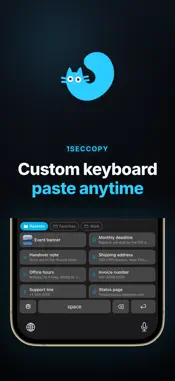
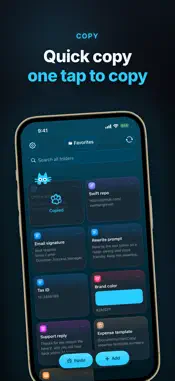
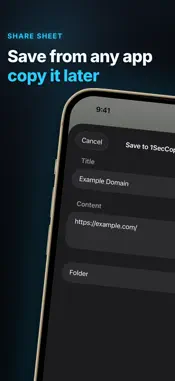
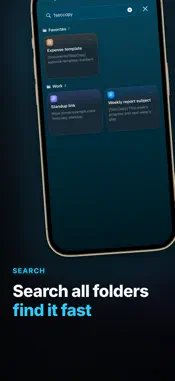
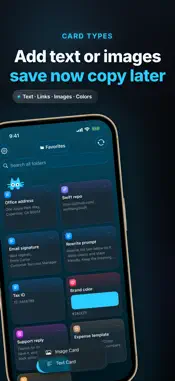
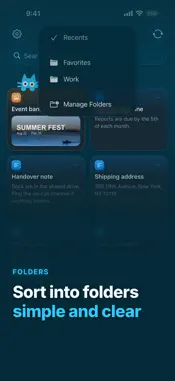
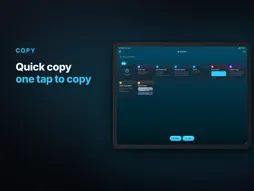
Still retyping the same reply, hunting for the same address, or digging up the same AI prompt? Save it as a card, then copy or paste it in one tap. 1SecCopy keeps the things you use again and again organized. Stop searching old chats or typing the same thing from scratch—everything you need is one tap away. PASTE IT THE WAY YOU SAVED IT • Save text, links, images, and brand colors as cards • Copy with one tap; it still looks the same when you paste it • Organize with folders, reorder freely, and search every folder at once • Jump back to recently used cards with smart folders like Recents USE IT WHEREVER YOU TYPE • 1SecCopy keyboard: access cards in any app, insert text at the cursor, or quickly copy an image • Quick Copy widget: copy a card from your Home Screen and switch folders inside the widget FAST SYNC ACROSS EVERY DEVICE Sign in and your cards sync almost instantly across iPhone, iPad, Mac, and Apple Vision Pro. Save on one device and it is usually ready by the time you switch to another. On Mac, a global shortcut opens the menu bar panel, and Paste automatically sends a card straight back to the field you were using. PREMIUM The free plan stores up to 10 cards. Premium removes the card limit and adds fast sync across devices. Terms of Use: https://www.apple.com/legal/internet-services/itunes/dev/stdeula/
What's New
Version 1.0.2 2026-09-29
Fixed an issue that could prevent syncing from resuming after storage space became available. Recently Used in the keyboard now updates immediately after you us... Technical Analysis
Package Overview Basic metadata
Bundle ID
com.1secspeed.OneSecCopy Current Version 1.0.2
Minimum iOS 26.0
Package Size App Store Size
Package Metadata 0 / 0 version records
Detailed binary, privacy manifest, framework, and Info.plist results have not been indexed for this package yet. The verified App Store and archive metadata above remains available.
Developer Information
Known Version Records
0 version records with stored package metadata
Stored metadata does not guarantee a package is currently available to download.
| Details | Version / IDs | Version date | Action |
|---|