Preview





Description
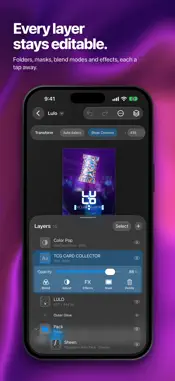
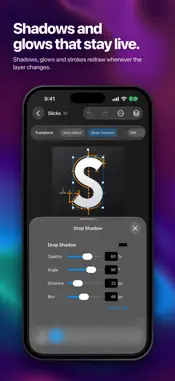
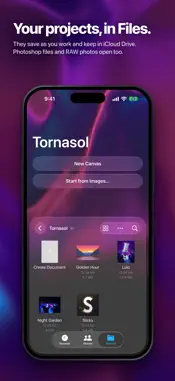
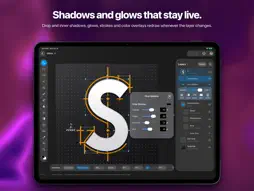
Tornasol is a layered image editor for iPad and iPhone. Layers and folders, masks, adjustment layers, layer effects, brushes and retouching, selections, type and a Camera Raw filter, on a canvas drawn by the GPU, with Apple Pencil pressure and gestures in place of the modifier keys. LAYERS THAT STAY EDITABLE • Layers and folders, with blend modes, opacity, layer masks and clipping masks. • Adjustment layers you can reopen at any time: Hue/Saturation, Levels, Curves, Exposure, Gradient Map, Black & White, Color Balance, Invert, blurs, grain and noise. • Layer effects: stroke, drop shadow, inner shadow, outer and inner glow, color overlay. • Move, scale, rotate, flip and distort layers without losing their pixels. PAINT AND RETOUCH WITH APPLE PENCIL • Brushes that follow Apple Pencil's pressure, and an eraser a double-tap away. • Spot Healing, Clone Stamp, Blur, Smudge and Liquify, and gradients. • Content-Aware Fill and Remove Background. SELECT EXACTLY WHAT YOU MEAN • Marquee, Lasso and Magic Wand, Select Subject and Color Range. • Feather, expand, contract and invert a selection, mask with it, or lift its pixels and move them. DEVELOP AND FINISH • Open RAW photos from your camera and develop them before they become a layer. • A Camera Raw filter with tone curves, an HSL and point color mixer, sharpening, defringe, Upright perspective, vignette and grain. • Filters: Gaussian and Motion Blur, Vignette, Bloom, Grain, Dither, Lens Correction and Tonal Contrast. • Type and shapes on their own layers. OPENS WHAT YOU ALREADY HAVE • PSD and PSB files open with their folders, masks, blend modes, simple shapes and horizontal text still editable. • Bring in photos and images as layers, or start a project from several at once. • Export PNG or JPEG through the share sheet, to Photos, Files or another app. MADE FOR TOUCH • Pinch and pan with two fingers. Tap with two fingers to undo and three to redo. • Touch and hold with a finger where a Mac would want a modifier key: pick a color while painting, set the Clone Stamp's source, draw a shape from its center. Rest a second finger to constrain a line, a square or a move. • On iPad, a full menu bar and keyboard shortcuts when a keyboard is attached, and windows side by side in Stage Manager. • On iPhone, a compact layout with the tools along the bottom and the canvas still live under every sheet. YOUR FILES, ON YOUR DEVICE Projects are .tornasol documents in Files: they save as you work, can live in iCloud Drive and show their own thumbnails. Every edit can be undone. There is no account, no tracking and no data collected; your images never leave the device unless you share them.
What's New
Version 1.1 2026-10-14
Tornasol is now an iPhone Duo app. • Open the phone and the editor takes the whole display with the iPad's layout: the tool rail, the options bar and the Layer... Technical Analysis
Package Overview Basic metadata
Bundle ID
com.pineapple.tornasol Current Version 1.1
Minimum iOS 27.0
Package Size App Store Size
Package Metadata 0 / 0 version records
Detailed binary, privacy manifest, framework, and Info.plist results have not been indexed for this package yet. The verified App Store and archive metadata above remains available.
Known Version Records
0 version records with stored package metadata
Stored metadata does not guarantee a package is currently available to download.
| Details | Version / IDs | Version date | Action |
|---|