
Preview

Description
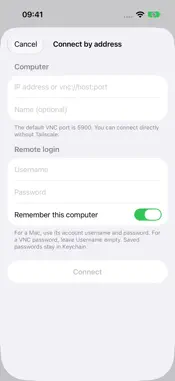
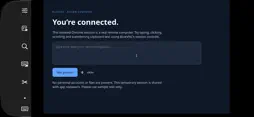
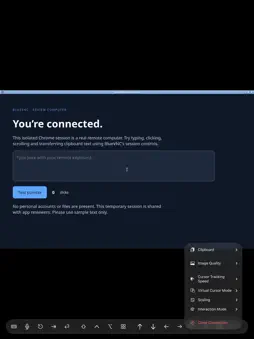
BlueVNC brings your remote computers into one clear list on iPhone and iPad. Find an online computer, choose a saved connection, or connect directly using an IP address, hostname or connection URL. FIND YOUR COMPUTERS • Start with online computers and filter by source. • Discover nearby VNC servers with Bonjour. • Optionally discover computers on your Tailscale tailnet using an API token or OAuth credentials. CONNECT AND CONTROL • Use remote keyboard and pointer controls. • Work with clipboard, image-quality and scaling options during a session. • Save computer details and keep saved passwords in the Apple Keychain. • Connect with a Mac username and password or a server’s VNC password. • Use vncs:// addresses for TLS-first servers and compatible Tailscale Funnel endpoints, with server-certificate verification. BlueVNC is a remote-desktop client. Your computer must have screen sharing or a compatible VNC server enabled and be reachable from your device. Tailscale discovery is optional; access to private tailnet devices requires the separate Tailscale app and configuration. Public Funnel connections do not require the Tailscale app on your device. Direct connections do not require a BlueVNC account. Third-party services may require their own account. Requires iOS or iPadOS 17.6 or later.
Technical Analysis
Package Overview Basic metadata
Bundle ID
com.picktek.bluevnc Current Version 1.5
Minimum iOS 17.6
Package Size App Store Size
Package Metadata 0 / 0 version records
Detailed binary, privacy manifest, framework, and Info.plist results have not been indexed for this package yet. The verified App Store and archive metadata above remains available.
Developer Information
Known Version Records
0 version records with stored package metadata
Stored metadata does not guarantee a package is currently available to download.
| Details | Version / IDs | Version date | Action |
|---|