Preview




Description
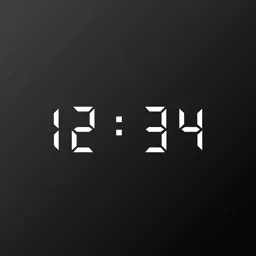
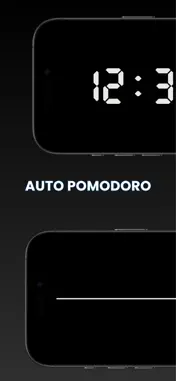
Focus Timer Desk Clock turns your iPhone into an elegant, minimalist desk clock — completely free, zero ads, for all core features. Prop it on your desk: a refined black-screen clock with large digital time. Switch to focus mode anytime — tap to start, swipe to adjust brightness, volume, and ambient sound with silky-smooth gestures. ELEGANT DESK CLOCK Turn your phone into a refined, minimalist desk clock. Large digits on a calm black screen. The interface rotates with your phone in any orientation — perfect for landscape desk setups. Clock mode and focus timer in one beautifully simple app. FOCUS TIMER & STOPWATCH Set any countdown up to 99 hours. Start at 00:00:00 for stopwatch mode. Tap anywhere to start or pause. Optional periodic haptic reminders during long sessions. Flexible sessions — not a rigid pomodoro cycle, but works great for 25-minute blocks too. POMODORO MODE Optional automatic Pomodoro cycling — alternate focus and break sessions hands-free while the countdown runs, with a fully customizable break length. Off by default; countdown mode only. DISTRACTION-FREE PROGRESS BAR Swipe with two fingers to flip to a minimal progress bar — track time left without digits competing for your attention. Swipe back anytime for the numbers. SILKY-SMOOTH GESTURES Swipe left for brightness. Swipe right for volume. Swipe horizontally to change ambient sound. Gesture-first design keeps the running screen clean and effortless. AMBIENT SOUNDS Built-in ambient sounds for study, deep work, and calm focus. Rain, ocean, café murmur, library quiet, binaural beats, white noise, and more. Swipe to switch without leaving the timer. LIFT LOCK Optional Lift Lock encourages phone-down focus. Pick up your phone mid-session and the app helps you put it back down. FOCUS STATISTICS See how much you actually focused. Today's total, session count, and how today compares to your daily average — plus average session length and completion rate, free. Premium unlocks the full history: streaks, this week vs last week, best focus hours, and all-time totals. Everything stays on your device — no account, no sign-in. ZERO ADS. EVER. No banner ads, no interstitials, no rewarded videos. Nothing interrupts your session. Open the app and you're immediately in the zone — pure, clean, distraction-free. Rare in this category. COMPLETELY FREE Every core feature is free: timer, stopwatch, desk clock, ambient sounds, Lift Lock, swipe controls, and your daily focus stats. No signup. No account. No ads. No paywall on what matters. Ultra-minimal. One screen. Open and start. Timer completion uses on-screen alerts and haptics. Optional monthly auto-renewable subscription: unlocks the full premium focus experience — premium ambient sounds, animated focus companions, and the complete focus statistics history — with new sounds and animations added every month. Subscription name, length, and price are shown in the in-app purchase sheet before purchase. Terms of Use (EULA): https://tranbaphuc99.github.io/WBBDocs/focus-timer/terms-of-use Privacy Policy: https://tranbaphuc99.github.io/WBBDocs/focus-timer/privacy-policy
What's New
Version 1.2.1 2026-11-01
Premium is now free for your first 7 days — no card, nothing to tap. Restoring a purchase on a new device is more reliable. The clock now drifts a few pixels ev... Technical Analysis
Package Overview Basic metadata
Bundle ID
com.focus.timer.desk.clock Current Version 1.2.1
Minimum iOS 15.2
Package Size App Store Size
Package Metadata 1 / 8 version records
Detailed binary, privacy manifest, framework, and Info.plist results have not been indexed for this package yet. The verified App Store and archive metadata above remains available.
Known Version Records
1 version record with stored package metadata • 8 known version records
Stored metadata does not guarantee a package is currently available to download.
| Details | Version / IDs | Version date | Action |
|---|---|---|---|
| 58.81 MB | v1.2.0 App Store ID: 890040931Build: 1.2.0 | 2026-08-26 23:21:30 | Get Version |
| Not archived | v1.1.2 App Store ID: 889616112Build: 1.1.2 | 2026-08-12 01:13:04 | Request Version |
| Not archived | v1.1.1 App Store ID: 889403813Build: 1.1.1 | 2026-08-07 21:03:08 | Request Version |
| Not archived | v1.1.0 App Store ID: 887705751Build: 1.1.0 | 2026-07-20 22:31:32 | Request Version |
| Not archived | v1.0.10 App Store ID: 886784102Build: 1.0.10 | 2026-06-12 00:24:01 | Request Version |
| Not archived | v1.0.6 App Store ID: 886572903Build: 1.0.6 | 2026-06-06 01:35:05 | Request Version |
| Not archived | v1.0.5 App Store ID: 886319475Build: 1.0.5 | 2026-06-02 21:34:09 | Request Version |
| Not archived | v1.0.0 App Store ID: 884759787Build: 1.0.0 | 2026-05-29 17:06:26 | Request Version |