Preview


Description
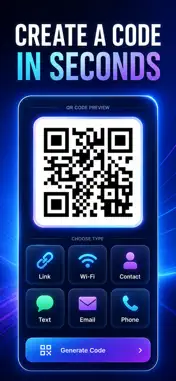
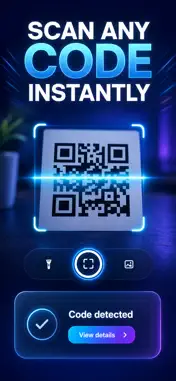
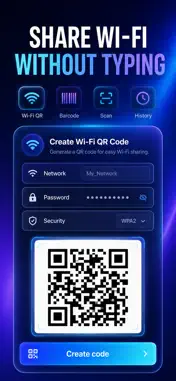
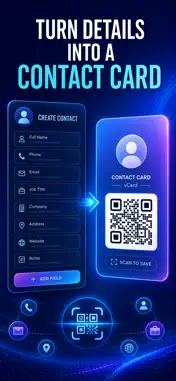
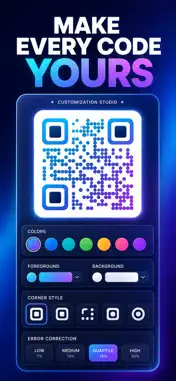
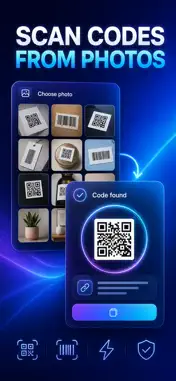
Make a QR code for a link, your WiFi password or a contact card in about ten seconds — then point the camera at any code and read it straight back. Most QR apps do one half of the job: they scan, then shove an advert in your face, or they generate a code and hand you a blurry image. QRBox does both, shows you exactly what a code contains before you act on it, and keeps every code you make and scan in one searchable list on your iPhone. No account. No servers. No adverts. WHAT YOU GET - A scannable code for a link, WiFi network, contact card, email address, phone number, SMS or plain text — built from a simple form, not a raw text box - Guests join your WiFi by pointing a camera instead of you spelling out a 20-character password - A high-resolution code image you can share, AirDrop or drop straight into a poster, a sign or a slide - Codes you can read before you trust them — the network name, the phone number, the full link, laid out field by field - Saved templates, so your business card or home WiFi code is one tap away next time - A searchable history of every code you created and every code you scanned, with favourites PERFECT FOR - Cafés, salons and corner shops putting a WiFi or menu-link code on the counter - Freelancers and sales reps handing over a contact card without swapping phones - Market stalls and events that need a printable code for a sign-up page today - Anyone who scans random codes and wants to see the destination before tapping it HOW IT WORKS Pick a type in the Create tab, fill in the fields, and watch the code build itself as you type. Choose one of six colours and an error-correction level — L, M, Q or H — if the code needs to survive a scuffed sign. Name it, share it as a 900px image, or save it as a template for next time. To read a code, open Scan and use the camera, with the torch if the light is poor, or pick a photo from your library. QRBox splits the result into readable fields and offers one action: Open Link, Call, Send Email, Message or Copy. WHY NOT JUST USE A FREE ONLINE QR GENERATOR Because those codes usually route through somebody else's domain, which means they die when that site does, and your WiFi password travels to a stranger's server on the way. QRBox builds the code on your iPhone. The image is the data — it works forever, offline, and nobody else ever sees what you encoded. PRIVACY Everything is generated and stored on your device. QRBox has no accounts, no servers, no adverts and no tracking. Your WiFi passwords and contact details never leave your iPhone. There is a Learn tab too, covering the code types, what each error-correction level actually protects, how the WiFi code format works, and how to scan a stranger's code safely. FULL ACCESS Creating link and text codes, and scanning with the camera or from a photo, are free forever. Full access unlocks the WiFi, contact card, email, phone and SMS code types, custom code colours, error-correction control, reusable templates, and the searchable create-and-scan history. Choose a weekly plan, a yearly plan, or a one-time lifetime purchase — the lifetime option is a single payment, not a subscription. Purchases restore at any time, and subscriptions are managed from your Apple Account. Open the Create tab, tap WiFi, type your network name and password, and tape the code to the wall — that is the whole setup. Terms of Use (EULA): https://web-levi.web.app/terms Privacy Policy: https://web-levi.web.app/privacy-policy Questions? Email [email protected]
What's New
Version 1.1.1 2026-08-19
Bug fixes and performance improvements. Technical Analysis
Package Overview Basic metadata
Bundle ID
com.levi.qrbox Current Version 1.1.1
Minimum iOS 17.0
Package Size App Store Size
Package Metadata 0 / 1 version records
Detailed binary, privacy manifest, framework, and Info.plist results have not been indexed for this package yet. The verified App Store and archive metadata above remains available.
Developer Information
Known Version Records
0 version records with stored package metadata • 1 known version records
Stored metadata does not guarantee a package is currently available to download.
| Details | Version / IDs | Version date | Action |
|---|---|---|---|
| Not archived | App Store ID: 885904910 | Unknown | Request Version |