
Preview




Description
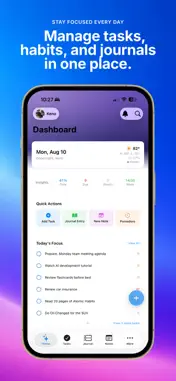
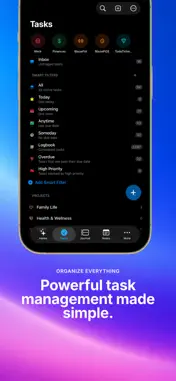
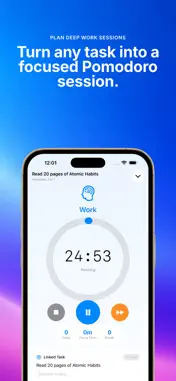
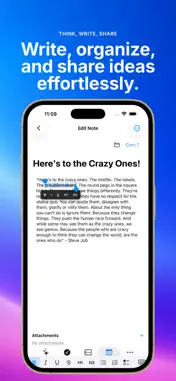
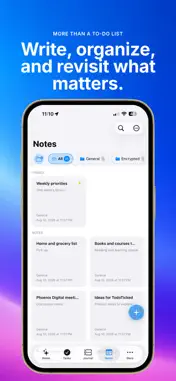
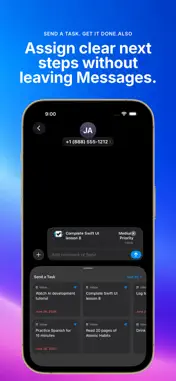
Plan what matters, protect your focus, and reflect on your progress in one calm workspace. TodoTicked brings task planning, Pomodoro focus sessions, notes, and journaling together across iPhone, iPad, Apple Watch, and the web. PLAN WITH CLARITY • Capture tasks quickly, then organize them with projects, tags, priorities, subtasks, and recurring schedules. • Use Inbox, Today, Upcoming, and custom smart filters to see the right work at the right time. • Toggle a compact calendar inside List view. Tap one date or select several dates to narrow any compatible list without losing context. • Import selected Apple Reminders through a preview that highlights unsupported details and avoids exact duplicates. TodoTicked never changes your Apple Reminders. • Keep working offline and sync changes when your connection returns. TURN THOUGHTS INTO ACTION • Pro members can use Voice Capture to turn spoken ideas into several structured task suggestions. • Review and edit every proposed task before anything is created. • Add dates, priorities, durations, recurrence, projects, and tags from one editable preview. FOCUS ON THE NEXT STEP • Start Classic, Deep Work, or Quick Pomodoro sessions. • Connect a focus session to the task you are completing. • Follow active sessions with Live Activities, Dynamic Island, supported widgets, and Apple Watch. BUILD MOMENTUM • Set daily and weekly completion goals that reward finishing—not creating busywork. • See progress, points, levels, seven-day trends, and current or longest streaks. • Protect streaks with days off and vacation mode. KEEP NOTES AND REFLECTIONS CLOSE • Write Markdown notes, attach files and images, organize folders, pin important ideas, and search your library. • Keep a private journal with moods, prompts, folders, tags, and progress insights. WORK YOUR WAY • Use Siri and Shortcuts to capture tasks, notes, and journal entries. • Share projects with teammates and choose role-based access. • Personalize projects with colors and icons, then choose the sorting and grouping that fit your workflow. Whether you are planning a project, protecting a focus block, or reflecting at the end of the day, TodoTicked keeps the full workflow together without making it feel crowded. Terms of Use (EULA): https://www.apple.com/legal/internet-services/itunes/dev/stdeula/
What's New
Version 2.0.1 2026-09-21
This update improves reminders, planning, and everyday reliability. Technical Analysis
Package Overview Basic metadata
Bundle ID
PhoenixDigitalLLC.TodoTicked Current Version 2.0.1
Minimum iOS 18.0
Package Size App Store Size
Package Metadata 0 / 5 version records
Detailed binary, privacy manifest, framework, and Info.plist results have not been indexed for this package yet. The verified App Store and archive metadata above remains available.
Developer Information
Known Version Records
0 version records with stored package metadata • 5 known version records
Stored metadata does not guarantee a package is currently available to download.
| Details | Version / IDs | Version date | Action |
|---|---|---|---|
| Not archived | App Store ID: 889767736 | Unknown | Request Version |
| Not archived | App Store ID: 889455330 | Unknown | Request Version |
| Not archived | App Store ID: 889329101 | Unknown | Request Version |
| Not archived | App Store ID: 889140549 | Unknown | Request Version |
| Not archived | App Store ID: 879231773 | Unknown | Request Version |