Preview



Description
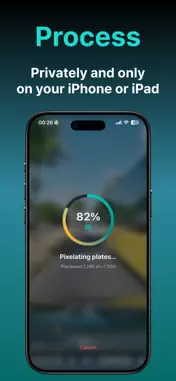
Got a dashcam clip of an accident, near miss, or wild commute moment you want to post? Pixelate the license plates first - then share it. Car Number Plate Blur is built for exactly that: import a video from Photos, anonymize plates on your iPhone, preview the result, and save or share to Instagram, WhatsApp Status, Facebook, X, and more. Works for dashcam and handheld clips - including motorcycle plates. Pro also blurs plates in photos - listings, snapshots, or similar. HOW IT WORKS 1. Record with your dashcam (or phone) and save the video to Photos 2. Import the clip into the app - trim if needed 3. Process - plates are detected and pixelated automatically 4. Preview, then save to Photos and/or share the anonymized version 5. Optional fine-tune: Pixelate less to undo false blurs, or Pixelate more on ranges that still look readable PHOTO MODE (PRO) 1. Import a photo from Photos 2. Process — plates are detected and pixelated on your iPhone 3. Tap a leftover plate and resize the box if needed 4. Preview, then save to Photos and/or share WHY PEOPLE USE IT • Post dashcam incidents and commute moments without exposing strangers’ plates • Cover plates in handheld / motorcycle close-ups, not only classic dashcam angles • Keep videos social-media ready while staying privacy-conscious • Fix over- or under-blurred spots without redoing the whole clip • One clear flow: import → process → preview → save/share • Blur plates in photos - listings, snapshots, and more - then tap leftover plates and resize PRIVACY BY DESIGN Detection and pixelation run entirely on your iPhone. Your video or photo is not uploaded for processing. FREE VS PRO • Free: 1 clip per day, up to 60 seconds (output capped at 720p) • Pro (one-time purchase): unlimited clips per day, up to 30 minutes, original/4K export when the source allows (no upscale), plus photo mode for stills - same on-device privacy Perfect when you want to share what happened on the road - without sharing every plate in frame.
What's New
Version 2.5.1 2026-11-02
Small improvements to make the app run even more smoothly. As always, everything stays on your iPhone — nothing is uploaded. Technical Analysis
Package Overview Basic metadata
Bundle ID
app.pandelion.carnumberblur Current Version 2.5.1
Minimum iOS 17.0
Package Size App Store Size
Package Metadata 0 / 0 version records
Detailed binary, privacy manifest, framework, and Info.plist results have not been indexed for this package yet. The verified App Store and archive metadata above remains available.
Known Version Records
0 version records with stored package metadata
Stored metadata does not guarantee a package is currently available to download.
| Details | Version / IDs | Version date | Action |
|---|