Preview


Description
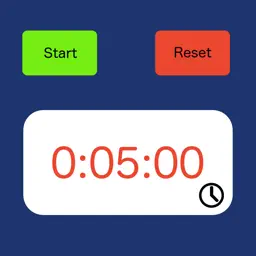
This iPhone application allows the phone to act as a chess clock. The phone is placed to the side of the board with white being at the bottom of the phone, black at the top. The number of moves made is displayed, with the remaining number of moves left to make displayed in brackets. Pressing the start button causes the clock to start depending on whose turn it is to move. Once the clock is started the clock for the person to move starts counting down and the Clock text color changes to Black. The reset button, settings button and clock adjustment buttons are not available whilst the clock is running. Pressing the pause button whilst the clock is running will stop the clock and re-enable the settings, reset & clock adjust buttons (see the initial clock above). There are a number of setting to control the sound, the clock delay type and the initial clock settings. Pressing the settings button (the small letter i to the right of the start button) whilst paused brings up the setting display. The volume of the ticking is controlled by the slider on the settings page, moving it to the left reduces the volume of the clock. There are 3 settings for the delay type None - the clock will count down from the time the player makes a move. Bronstein - the clock will count down until the player makes a move at which point the delay time is added to the display. If the player takes less than the delay amount to make a move then only the amount of time taken to make the move is added. Fisher - the Delay amount is added to the time left and then the clock starts counting down. Each clock can be adjusted separately by pressing the adjust clock button (the small blue chevron at the bottom right of each clock). The clock time can be adjusted by pressing the appropriate amount of time to add or subtract (scroll down to see the times to subtract).
What's New
Version 1.06 2020-12-30
Updates layout to ensure the app works with multiple iPhone sizes. Updated using the latest version of Xcode. Technical Analysis
Package Overview Basic metadata
Bundle ID
Bevan.philip.prod.ChessClock Current Version 1.06
Minimum iOS 12.0
Package Size App Store Size
Package Metadata 1 / 6 version records
5.0 / 5.0 (2 ratings)
Detailed binary, privacy manifest, framework, and Info.plist results have not been indexed for this package yet. The verified App Store and archive metadata above remains available.
Developer Information
Known Version Records
1 version record with stored package metadata • 6 known version records
Stored metadata does not guarantee a package is currently available to download.
| Details | Version / IDs | Version date | Action |
|---|---|---|---|
| 688.0 KB | v1.06 App Store ID: 839817239Build: 1.06 | 2020-12-30 13:59:19 | Get Version |
| Not archived | App Store ID: 596033127 | Unknown | Request Version |
| Not archived | App Store ID: 591442935 | Unknown | Request Version |
| Not archived | App Store ID: 27992661 | Unknown | Request Version |
| Not archived | App Store ID: 3275080 | Unknown | Request Version |
| Not archived | App Store ID: 2882672 | Unknown | Request Version |