
Preview


Description
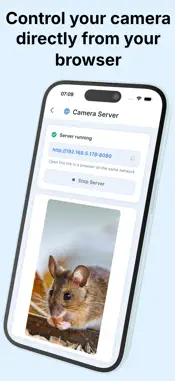
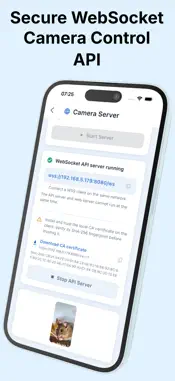
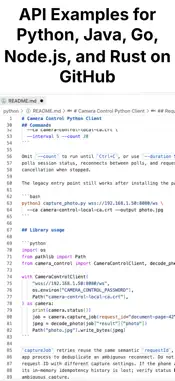
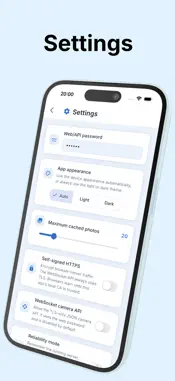
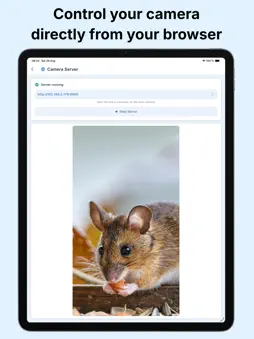
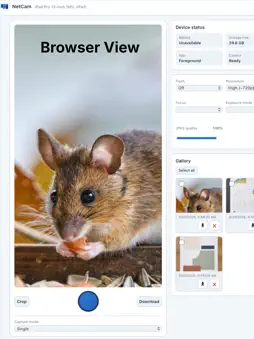
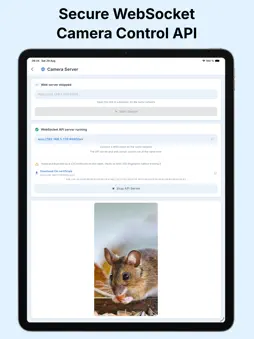
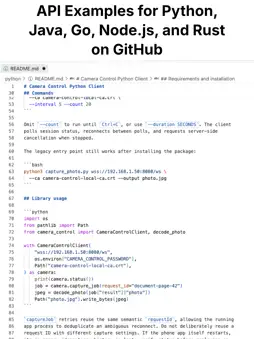
NetCam turns your iPhone into a remotely controlled still-photo camera. Open the control page in a modern browser on a computer, tablet, or another phone connected to the same local network—no account, desktop app, or developer-operated cloud server required. CAPTURE FROM YOUR BROWSER • See a live preview and trigger the camera remotely • Take single, burst, delayed, interval, and time-lapse captures • Choose the camera, lens, resolution, zoom, focus, exposure, flash, torch, and JPEG quality where supported by the device • Check battery, charging, storage, thermal state, and camera readiness MANAGE PHOTOS LOCALLY • Browse the phone's NetCam gallery from your browser • Download individual photos or export a selection as a ZIP archive • Create a non-destructive crop for download while keeping the original image • Delete photos manually or configure automatic cleanup LOCAL BY DESIGN NetCam hosts its control page directly on your phone. Camera controls and photos stay between your phone and the clients you connect on your local network. Access is protected by your NetCam password, with optional local HTTPS and convenient local-network discovery. FOR ADVANCED WORKFLOWS An optional secure JSON-over-WebSocket API and companion Python command-line client make NetCam useful for repeatable capture and automation setups. BEFORE YOU START NetCam requires a physical phone and a second device with a modern browser on the same reachable local network. Camera and local-network permissions are required. Keep NetCam in the foreground while using remote capture because the mobile operating system may suspend background camera activity. PURCHASE INFORMATION Core capture features are available without a purchase. Photo downloads include a NetCam logo watermark unless you unlock watermark-free downloads with the optional one-time purchase. No subscription.
What's New
Version 1.0.29 2026-11-03
Added Tripod Mode: fullscreen one-button camera with remote shutter links (/photo, /next, /delete) and a /remote page. Technical Analysis
Package Overview Basic metadata
Bundle ID
app.flutterdev.cameracontrol Current Version 1.0.29
Minimum iOS 15.0
Package Size App Store Size
Package Metadata 0 / 0 version records
Detailed binary, privacy manifest, framework, and Info.plist results have not been indexed for this package yet. The verified App Store and archive metadata above remains available.
Known Version Records
0 version records with stored package metadata
Stored metadata does not guarantee a package is currently available to download.
| Details | Version / IDs | Version date | Action |
|---|