
Preview




Description
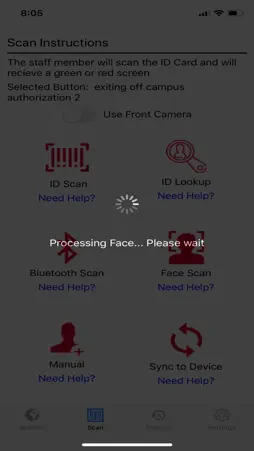
SSICA is a smartphone-based app that can scan student’s ID cards to track their daily activities, provide them with rewards and consequences. The ID card that your student have must have a barcode (e.g. Code_39, Code_128, Ean_8, QR_ Code, etc.). When you are done scanning, by simply clicking one button in your Administrator account in drssica.com, you are able to download all the data (time student was scanned, who scanned it, etc.) onto an Excel spreadsheet (CSV format). For example, let’s say your lunch detention staff member scans all the students who served lunch detention. At the end of lunch detention, the administrator is able to download a CSV spreadsheet with who was there, what time the ID card was scanned, and who scanned the student ID card. By the way, all of these scans are archived in the History portion of ssica.org and you can access these scans anytime you need this information. Keeping precise records is simple with SSICA. Each user (staff member) receives a username and password. You determine how many users you need; it can range from1 to 1,000+ users. Can students use this app? No, because they will have no credentials. How much does the app cost? It’s free. Download the app now so you can use this app on your iPod, iPhone, iPad, or on your Mini iPad. Use the credentials of demo and the password demo to log in and see how SSICA works. How about if the student has no ID card? Our app has a “Student Look Up” which allows the staff member to search by first name, last name, or ID number. Keep in mind when an ID is scanned the screen will come up Red, Green, Brown (Lunch Detention), Yellow (Saturday School) or Violet (After School Detention) depending on the consequence color assigned by you (the administrator). For example, if you are using the app for students to go off campus for lunch, when the student’s ID card is scanned it will come up Green (allowing the student to go off campus), Red (student doesn’t have the privilege to off campus), or Brown (student has lunch detention), Yellow (student is assigned Saturday school) or Violet (student is assigned after school detention). It takes literally a second to two seconds to scan each ID card. One high school in Visalia, CA scans about 400 – 500 students in about 6 to 7 minutes using 8 staff members. This program is made to keep students accountable for their actions and to keep your campus safe. What do you need to do after you download the app? You will need to create a spreadsheet with your students and designate privileges (e.g. lunch detention, Saturday school, able to go off campus, free lunch, etc.) by using a sequence of numbers in your ssica.org account. Once you create this CSV spreadsheet, you will need to upload it to drssica.com and create users (which they require a username and password) so the app will work for you. Please keep in mind that we are here to support you and make sure you are up and running in a few hours. You can call Dr. Chavez so he may set up your account. It takes about 30 minutes to set up a school with rosters and buttons. Please keep in mind that SSICA is compatible with many Student Information Systems (e.g. Aeries, etc.) which makes SSICA a very powerful tool. K-12 and Universities may use SSICA For: Lunch Detention, Off Campus Authorization, Saturday School, Free or Reduced Lunch, School Dances, Sports Events, Nurse Visits, Students Leaving Campus Early, Band Equipment, Students Taking State Assessments, Bullying, Out of Class with No Pass, Attendance, Discipline, etc. We are sure your organization will benefit from SSICA.
What's New
Version 39 2019-10-23
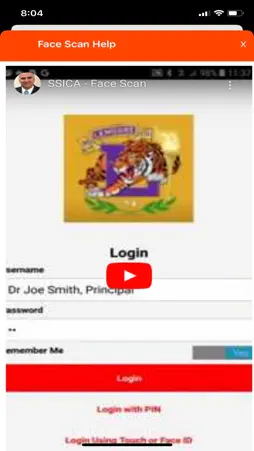
1. Help Videos for all the activities available on scan page. 2. Activated Facial Scan for all users 3. Minor bug fixes and performance improment Technical Analysis
Package Overview Basic metadata
Bundle ID
com.ssicapete.ssica20 Current Version 39
Minimum iOS 8.0
Package Size App Store Size
Package Metadata 0 / 10 version records
3.0 / 5.0 (7 ratings)
Detailed binary, privacy manifest, framework, and Info.plist results have not been indexed for this package yet. The verified App Store and archive metadata above remains available.
Developer Information
Known Version Records
0 version records with stored package metadata • 10 known version records
Stored metadata does not guarantee a package is currently available to download.
| Details | Version / IDs | Version date | Action |
|---|---|---|---|
| Not archived | App Store ID: 833291187 | Unknown | Request Version |
| Not archived | App Store ID: 832426793 | Unknown | Request Version |
| Not archived | App Store ID: 831508430 | Unknown | Request Version |
| Not archived | App Store ID: 830951885 | Unknown | Request Version |
| Not archived | App Store ID: 828494566 | Unknown | Request Version |
| Not archived | App Store ID: 828455765 | Unknown | Request Version |
| Not archived | App Store ID: 827805944 | Unknown | Request Version |
| Not archived | App Store ID: 826881179 | Unknown | Request Version |
| Not archived | App Store ID: 826568687 | Unknown | Request Version |
| Not archived | App Store ID: 822514775 | Unknown | Request Version |