Preview






Description
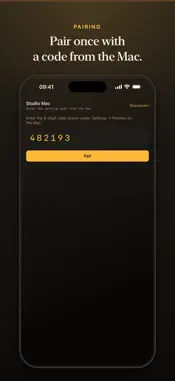
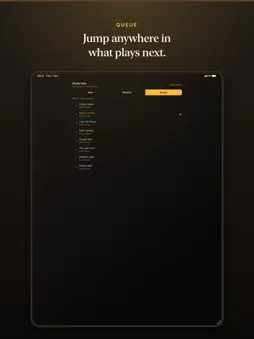
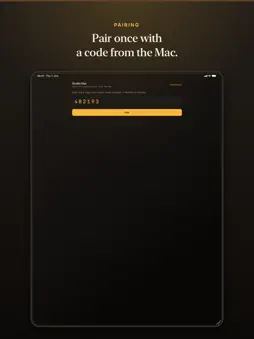
Audio Harbor for iPhone and iPad is the remote for Audio Harbor on your Mac. The music plays on the Mac and its DAC — your iPhone or iPad steers. You need Audio Harbor for Mac on the same network. Turn on Settings → Remote → Allow Remote Control on the Mac, then enter the six-digit code on the phone once. After that the phone reconnects on its own. The remote uses the same three tabs as the Mac: Deck, Catalogue, and Settings. What you can do • Deck — transport, seek, and the Mac's listening stage; open the queue from the Deck; tap a playing song again to pause • Catalogue — browse folders, albums, artists, and playlists, and search each like on the Mac • Settings — change the Mac's Output, Sharing, and Directories (when both sides support it) • Add songs to playlists and labels, or take them out — long-press a song, or use Playlist and Labels on the Deck • Set the volume of your DAC or network player — open the speaker on the Deck, or use the volume buttons. On a USB DAC the device changes its own level, so the music stays bit-perfect. What it is not • Not a player on the iPhone or iPad. Nothing is copied to it. • No account and no cloud. Phone and Mac talk directly over your local network. The remote is free. Playback on the Mac follows the Mac app's trial and one-time unlock.
What's New
Version 1.1.5 2026-11-08
Bug fixes. • After you lock and unlock your iPhone or iPad, the remote finds your Mac again on its own. It no longer gets stuck on “Browse failed”. Technical Analysis
Package Overview Basic metadata
Bundle ID
com.gerov.audioharbor.player Current Version 1.1.5
Minimum iOS 17.0
Package Size App Store Size
Package Metadata 0 / 0 version records
Detailed binary, privacy manifest, framework, and Info.plist results have not been indexed for this package yet. The verified App Store and archive metadata above remains available.
Developer Information
Known Version Records
0 version records with stored package metadata
Stored metadata does not guarantee a package is currently available to download.
| Details | Version / IDs | Version date | Action |
|---|