Preview




Description
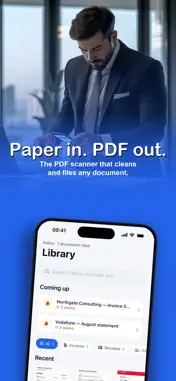
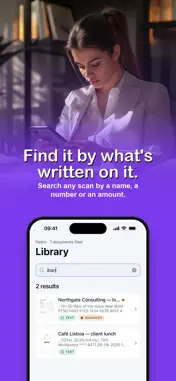
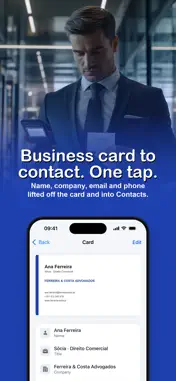
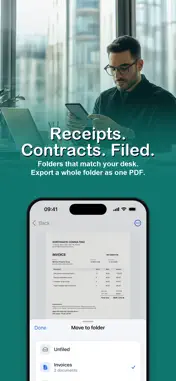
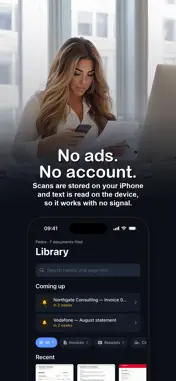
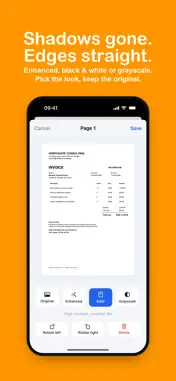
Turn paper into clean PDFs you can search. Point your iPhone at a page and DocyScan finds the edges, straightens it and reads the words, so you can find it later by what it says. Built for people who deal with paper all day: invoices, receipts, contracts, letters and business cards. SCAN Capture one page or a whole stack, or turn a photo into a scan. Choose Enhanced, Black and White, Grayscale or the original. Rotate or delete a page and add more later. FIND Text recognition runs right after each scan. Search by a name, an invoice number or an amount and the right document comes up. It reads English, Spanish, French, German, Italian and Portuguese. SHARE Send a real PDF, not a photo. Export a searchable PDF that works in other PDF readers, or merge a whole folder into one file. FILE Folders for invoices, receipts, contracts and personal papers are ready from the start. Add your own with colors and icons. BUSINESS CARDS Scan a card and DocyScan picks out the name, company, email and phone. Save it to Contacts in one tap. REMINDERS AND NOTES Set a reminder on a contract or a renewal so the date does not slip. Keep notes and link them to a document. YOUR PAGES STAY WITH YOU Scans and their text are stored on your iPhone, and text recognition runs on the device, so it works with no signal. No ads and no DocyScan account. Full access needs a subscription or a one time purchase. The yearly plan starts with a free week for new subscribers. Payment goes through your Apple Account and subscriptions renew automatically unless cancelled at least 24 hours before the period ends. Manage or cancel in Settings. Privacy policy: https://www.termsfeed.com/live/a6bd5bda-db4e-4b64-afd7-9cb6f96df456 Terms of use: https://www.apple.com/legal/internet-services/itunes/dev/stdeula/
What's New
Version 2.3.1 2026-11-09
This update brings the store page in your language, with new screenshots and an easier name to find. Technical Analysis
Package Overview Basic metadata
Bundle ID
com.docyscan.Docyscan Current Version 2.3.1
Minimum iOS 18.1
Package Size App Store Size
Package Metadata 0 / 2 version records
Detailed binary, privacy manifest, framework, and Info.plist results have not been indexed for this package yet. The verified App Store and archive metadata above remains available.
Developer Information
Known Version Records
0 version records with stored package metadata • 2 known version records
Stored metadata does not guarantee a package is currently available to download.
| Details | Version / IDs | Version date | Action |
|---|---|---|---|
| Not archived | App Store ID: 880601678 | Unknown | Request Version |
| Not archived | App Store ID: 871564436 | Unknown | Request Version |