
Preview




Description
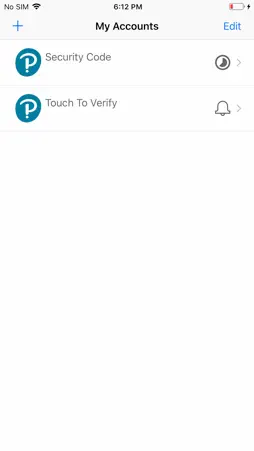
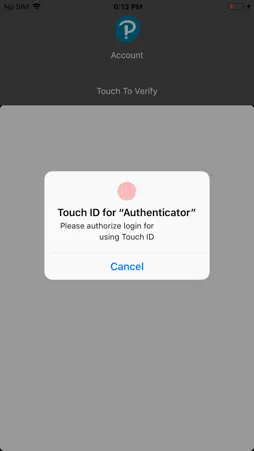
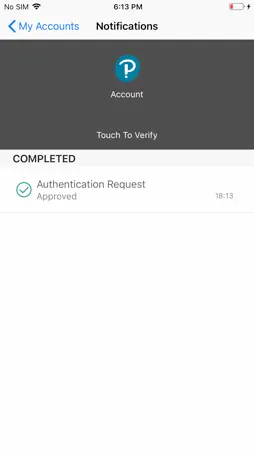
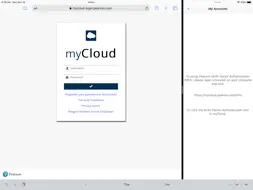
** This app is for employees only and will not work for Pearson’s students and educators accessing Pearson’s learning apps ** Pearson Employee Authenticator provides employees, contractors, and partners with a safer, more secure way to verify their identity when they log in to their Pearson myCloud account. It uses Multi-Factor Authentication (MFA) – your username and password, plus a touch or security code – to verify it’s you when you log into your myCloud account. Once registered, it is simple and fast to use. You can install the app on either your Pearson-managed or personal device. Features: - Easy, quick set-up using QR codes - Support for ‘Touch To Verify’ authentication - Support for ‘Security Code’ generation Permissions required: Camera access: to scan QR codes for MFA registration Notifications: to receive the Touch to Verify notifications Network access: to respond to the Touch To Verify notifications* Storage: to store your MFA settings * No network access is required to use Security Code verification.
What's New
Version 1.3.210311 2021-03-30
This minor update improves the experience for Touch To Verify logins. When you receive a Touch To Verify notification, you can click on the notification pop-up... Technical Analysis
Package Overview Basic metadata
Bundle ID
com.pearson.mfa.auth Current Version 1.3.210311
Minimum iOS 9.0
Package Size App Store Size
Package Metadata 0 / 4 version records
2.2 / 5.0 (21 ratings)
Detailed binary, privacy manifest, framework, and Info.plist results have not been indexed for this package yet. The verified App Store and archive metadata above remains available.
Developer Information
Known Version Records
0 version records with stored package metadata • 4 known version records
Stored metadata does not guarantee a package is currently available to download.
| Details | Version / IDs | Version date | Action |
|---|---|---|---|
| Not archived | App Store ID: 840874546 | Unknown | Request Version |
| Not archived | App Store ID: 833661294 | Unknown | Request Version |
| Not archived | App Store ID: 829681825 | Unknown | Request Version |
| Not archived | App Store ID: 828762564 | Unknown | Request Version |