
Preview





Description
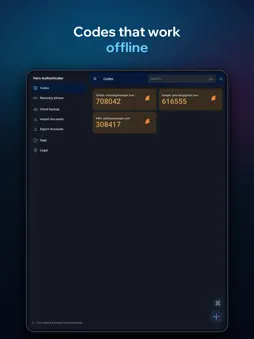
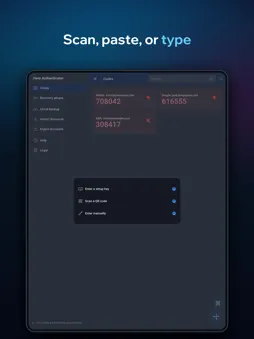
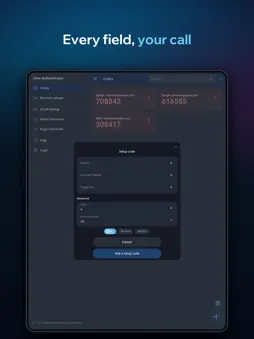
Hero Authenticator makes the six-digit codes your accounts ask for when you log in - and makes sure the phone they live on isn't a single point of failure. Codes are generated on your device with the standard TOTP algorithm, so they work with any service that supports authenticator-app two-factor sign-in, and they work with no connection at all. ADD ACCOUNTS HOWEVER SUITS YOU - Scan the QR code a service shows you - Import a QR from a screenshot already in your photo library - Paste or type a setup key - Fill everything in by hand - issuer, label, digits, period, algorithm - Move in from Google Authenticator using its export QR A LOCK THAT STAYS SHUT Set a 4- or 6-digit PIN and add Face ID or Touch ID. Choose when the app re-locks: the moment you leave it, after 30 seconds, a minute, five minutes, or not at all. Wrong PINs trigger a lockout that grows each time and survives restarting the app. Your PIN is stored as a salted PBKDF2 hash, never as the PIN. A WAY BACK Your install gets a 24-word recovery phrase. Write it down and keep it offline. Turn on cloud backup and your codes go to Hero's servers, with each account's secret encrypted under a key derived from that phrase - we cannot read them - then type the phrase on a new phone and your accounts come back. One thing to know before you switch it on: service and account names are not encrypted, so Hero can see which services you hold two-factor on, but never the codes themselves. Cloud backup stays off until you switch it on. Leave it off and nothing about your accounts ever leaves the phone. DAY TO DAY - A live countdown on every code, so you know whether to wait for the next one - Search across issuers and account names - Tap a code to copy it - Edit labels and delete what you no longer use - Export selected accounts as a QR or through the share sheet - Light and dark themes - 17 languages WHAT IT DOESN'T DO No ads. No advertising SDK. Nothing that follows you between apps. No account, no email address, no phone number, nothing to sign up for. WHAT LEAVES THE PHONE Two things, both limited. Cloud backup, if you turn it on - your accounts, with each secret encrypted under a key derived from your recovery phrase. And a crash report if the app falls over: a stack trace, the device model and a random per-install identifier, passed first through a scrubber that redacts anything shaped like a TOTP secret, an otpauth link or a recovery phrase. Nothing else. One thing worth saying plainly: your recovery phrase is the only way back into a backup. If you lose it, nobody - including us - can restore your accounts for you. That is the trade a phrase-based backup makes, and it is why the app asks you to write it down.
Technical Analysis
Package Overview Basic metadata
Bundle ID
io.hero.authenticator Current Version 1.0.1
Minimum iOS 15.5
Package Size App Store Size
Package Metadata 0 / 0 version records
Detailed binary, privacy manifest, framework, and Info.plist results have not been indexed for this package yet. The verified App Store and archive metadata above remains available.
Known Version Records
0 version records with stored package metadata
Stored metadata does not guarantee a package is currently available to download.
| Details | Version / IDs | Version date | Action |
|---|