
Preview


Description
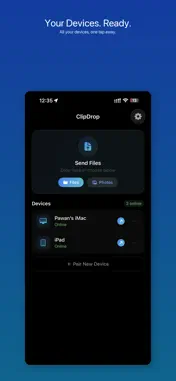
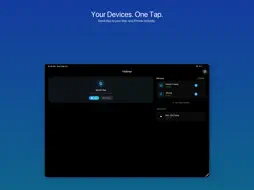
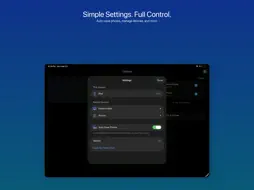
ClipDrop is the fast, reliable way to send files between your iPhone, iPad, and Mac — instantly, every single time. No complicated setup. No failed transfers. Open ClipDrop on any two of your devices and they find each other immediately. Drag a file, tap share, or drop it on the floating overlay — it arrives on the other side in seconds. HOW IT WORKS ClipDrop pairs your devices automatically through iCloud. Once you sign in with the same Apple Account on any combination of iPhone, iPad, and Mac, your devices recognize each other with zero configuration. Transfers happen over your local network, device to device. Your files never leave your network and never touch a server. KEY FEATURES • Instant device discovery — your devices find each other automatically via iCloud, no pairing required • Send multiple files at once — each file transfers individually, no zipping or waiting • Share extension — send from any app with one tap • Floating overlay on Mac — drag any file onto the always-on drop target to send instantly • Drag to menu bar — drop files on the menu bar icon to start a transfer • Rich notification previews — see images, documents, and links right in the notification • Auto-save photos to your Camera Roll • Custom save folders on Mac • Sounds and haptic feedback for every transfer • Works with everything — photos, videos, documents, links, text, archives BUILT FOR PRIVACY Every transfer happens directly between your devices over your local network. Nothing is uploaded to the cloud. Nothing is stored on a server. Nothing is tracked. The only data that leaves your device is the file itself — and it only goes to the device you chose. DESIGNED TO DISAPPEAR ClipDrop is a utility. Fast, invisible, and reliable. No accounts, no subscriptions, no setup wizards. Install on two or more devices, and it works. That's the whole point.
What's New
Version 1.1 2026-04-16
- Send multiple files individually — no more zipping, each file arrives ready to use - Drag files onto the menu bar icon to send instantly - Auto-save received ... Technical Analysis
Package Overview Basic metadata
Bundle ID
ae.ad.ClipDrop Current Version 1.1
Minimum iOS 18.0
Package Size App Store Size
Package Metadata 0 / 2 version records
Detailed binary, privacy manifest, framework, and Info.plist results have not been indexed for this package yet. The verified App Store and archive metadata above remains available.
Developer Information
Known Version Records
0 version records with stored package metadata • 2 known version records
Stored metadata does not guarantee a package is currently available to download.
| Details | Version / IDs | Version date | Action |
|---|---|---|---|
| Not archived | App Store ID: 884498907 | Unknown | Request Version |
| Not archived | App Store ID: 883367535 | Unknown | Request Version |