
Preview




Description
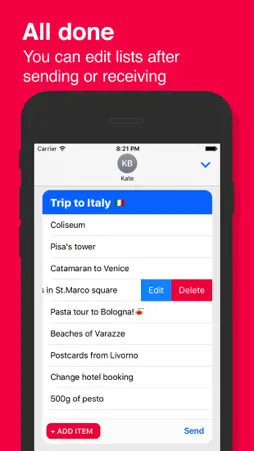
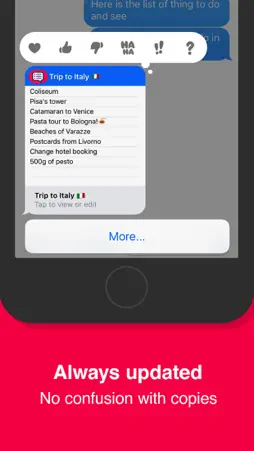
Create and send beautiful shared lists inside Мessages app. Forgot to add something? Just edit your existing list. So everything is always up to date. BuyMilk is located in app drawer in the Messages app: 1. Open an existing conversation thread in Messages or start a new conversation. 2. Tap on the App Store icon next to the conversation box. 3. Then tap on the four dots to open your app drawer. 4. Tap on BuyMilk icon. If you don’t see it in Message app check the Manage tab in Message app: 1. Open the app drawer in Messages app and tap (+). 2. Tap the Manage tab and turn on BuyMilk. CREATING LISTS – Open BuyMilk in Messages app. – Add new items to the list. – Tap Send and send your list to the conversation. EDITING LISTS – BuyMilk must be installed. – Tap on existing BuyMilk list in your conversation. – Swipe left to edit or add new items. – Send your list back to the conversation. – After sending list updates automatically.
What's New
Version 1.2 2017-09-18
– New beautiful app icon – Localizations Technical Analysis
Package Overview Basic metadata
Bundle ID
ru.paveldubov.BuyMilk Current Version 1.2
Minimum iOS 10.0
Package Size App Store Size
Package Metadata 0 / 2 version records
Detailed binary, privacy manifest, framework, and Info.plist results have not been indexed for this package yet. The verified App Store and archive metadata above remains available.
Developer Information
Known Version Records
0 version records with stored package metadata • 2 known version records
Stored metadata does not guarantee a package is currently available to download.
| Details | Version / IDs | Version date | Action |
|---|---|---|---|
| Not archived | App Store ID: 841797241 | Unknown | Paid / Arcade |
| Not archived | App Store ID: 823013285 | Unknown | Paid / Arcade |