Preview




Description
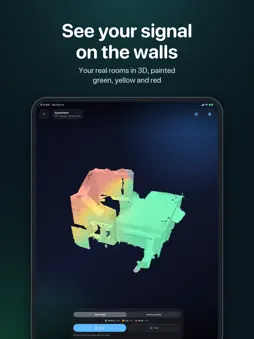
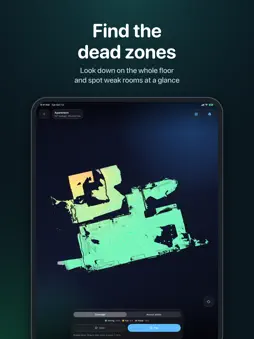
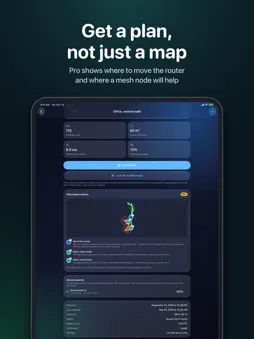
Find the Wi-Fi dead spots in your home, and see exactly where they are. AR Wifi Analyzer uses the LiDAR scanner on your iPhone or iPad to build a 3D model of your home while it measures your Wi-Fi everywhere you walk. The result is painted straight onto the walls and floor: green where the connection is strong, yellow where it's fair and red where it struggles. SCAN IN 3D Walk slowly through your home. The LiDAR scanner builds the rooms around you, and every scan is cleaned up into a smooth, tidy model when you save it. LIVE COVERAGE Coverage is measured as you move and appears on the real walls in real time, so you see a weak spot the moment you walk into it. FLOOR PLAN Look down on your whole floor, with the walls drawn in, and spot the weak rooms at a glance. 3D VIEW Rotate and zoom around your saved home from any angle. WALK IT AGAIN Return to a saved scan in AR. It lines back up with your rooms, so the saved coverage appears on the real walls again. PRIVATE BY DESIGN Everything stays on your device. No account, no ads, no tracking, and nothing is ever uploaded. PRO: FROM MAP TO PLAN Scanning, live coverage, the floor plan, the 3D view, AR walkthroughs and the PDF report are free. Pro is a one-time purchase, with no subscription, that turns your map into a plan: • Best spot for your router: see whether moving it to the middle of your home would even out coverage. • Where to add a mesh node: the exact spot where the signal is still strong enough to relay into each weak area, floor by floor, including when a floor needs a cable instead. • Before & after: compare two scans of the same home and see what moving the router or adding a node really changed. • Pro PDF report: add your client's name and address, your own name and notes, and the recommended spots on a map. Ready to hand over. Try before you buy: the first placement tip for every scan is free. GREAT FOR • Finding the best place for your router • Deciding where a mesh node or extender will actually help • Checking the home office before an important video call • Scanning again after a change to see if it made a difference HOW IT MEASURES iOS doesn't let apps read raw Wi-Fi signal strength. Instead, AR Wifi Analyzer measures what you actually notice: how quickly and how reliably your router answers from each spot. Slow or missing answers are what make video calls stutter and pages hang. REQUIREMENTS Requires an iPhone or iPad with a LiDAR scanner (iPhone 12 Pro or later Pro models, iPad Pro 2020 or later) running iOS 26 or later.
What's New
Version 2.5 2026-10-30
Every scan now comes with a free placement tip: the first suggestion for where to move your router or add a mesh node, marked on its floor. • After a scan with ... Technical Analysis
Package Overview Basic metadata
Bundle ID
com.patrick.wifisurvey.MyApp Current Version 2.5
Minimum iOS 26.0
Package Size App Store Size
Package Metadata 0 / 0 version records
Detailed binary, privacy manifest, framework, and Info.plist results have not been indexed for this package yet. The verified App Store and archive metadata above remains available.
Known Version Records
0 version records with stored package metadata
Stored metadata does not guarantee a package is currently available to download.
| Details | Version / IDs | Version date | Action |
|---|