
Preview












Description
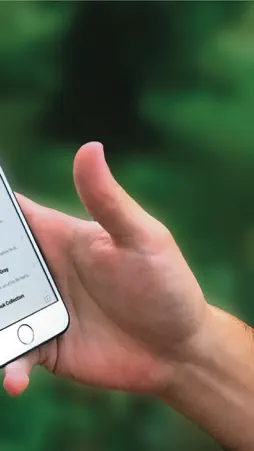
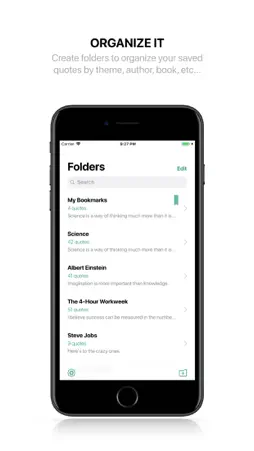
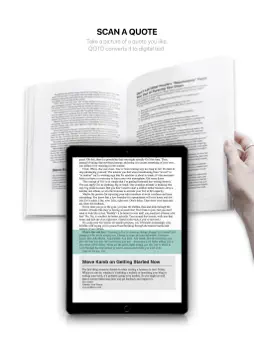
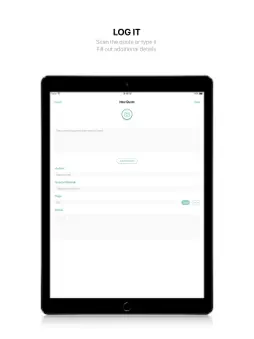
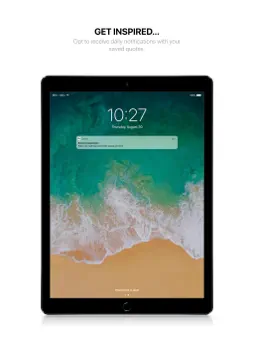
QOTD is your trusty reading sidekick that simplifies the way you capture and save your favorite book quotes. It also lets you share them with the people that matter to you most. Use your device’s camera to scan interesting ideas you read in books and convert them to digital text. The quotes you save are added to your collection and can easily be shared on social media platforms. QOTD also regularly sends you notifications containing a random quote from your collection for your daily dose of inspiration. LOG IT: • Log quotes automatically by using the camera on your iPhone or iPad to take a photo of a page from a book, a print of any kind or from a screen and then cropping it to frame the desired quote. QOTD will convert the image into digital text using image recognition technology (OCR). • Alternatively, you can convert images of text that you upload from your photo library. • Log quotes manually or tweak a previously saved one by typing in or editing the text field. • Lastly, you can specify the author, source material and page number of every quote you log. ORGANIZE IT: • Simply create a new folder with a tap and give it a name to better organize your collection of quotes. • Start populating your folders with quotes as you read. • Bookmark the quotes you like most to have them saved in your Bookmarks folder. • Browse the contents of a folder by scrolling through a seamless feed of quotes. • Look up any quote in your collection using the search bar. • Use the swipe feature on a quote to delete it, edit it or move it to a different folder. • Use the swipe feature on a folder to delete or rename it. SHARE IT: • Use the share button located at the top of each quote to easily share your quotes in one of multiple formats: 1- As text, 2- As a single image (for Facebook, WhatsApp, Instagram, Twitter and others), 3- As multiple images for longer quotes, in a format designed for social media platforms with post size restrictions such as Instagram. GET INSPIRED: • Receive notifications containing a random quote from your collection up to three times per day to keep you inspired. SETTINGS: • Enable or disable receiving all notifications or simply receiving them at specific times of the day: morning, afternoon and evening. • Enable or disable saving the images you scan to your photo library. • Back up and restore your collection to your Dropbox account. Happy Reading!
What's New
Version 5.1 2022-01-13
• Minor UI improvements. Technical Analysis
Package Overview Basic metadata
Bundle ID
com.pascalandraos.QOTD Current Version 5.1
Minimum iOS 13.0
Package Size App Store Size
Package Metadata 1 / 10 version records
4.3 / 5.0 (59 ratings)
Detailed binary, privacy manifest, framework, and Info.plist results have not been indexed for this package yet. The verified App Store and archive metadata above remains available.
Developer Information
Known Version Records
1 version record with stored package metadata • 10 known version records
Stored metadata does not guarantee a package is currently available to download.
| Details | Version / IDs | Version date | Action |
|---|---|---|---|
| 50.62 MB | v5.1 App Store ID: 846601573Build: 5.1 | 2022-01-14 00:32:12 | Paid / Arcade |
| Not archived | App Store ID: 846250867 | Unknown | Paid / Arcade |
| Not archived | App Store ID: 840962136 | Unknown | Paid / Arcade |
| Not archived | App Store ID: 833176138 | Unknown | Paid / Arcade |
| Not archived | App Store ID: 831902403 | Unknown | Paid / Arcade |
| Not archived | App Store ID: 829638956 | Unknown | Paid / Arcade |
| Not archived | App Store ID: 828998848 | Unknown | Paid / Arcade |
| Not archived | App Store ID: 828733043 | Unknown | Paid / Arcade |
| Not archived | App Store ID: 828702249 | Unknown | Paid / Arcade |
| Not archived | App Store ID: 828335719 | Unknown | Paid / Arcade |