
Panasonic Stereo System Network Setup
IPA AnalysisPreview
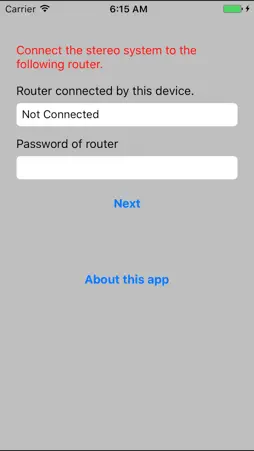
Description
Network Setup is an application to connect the Panasonic network compatible stereo system to your home wireless router. By using this application, such as SSID input and setup in browser are not necessary and you can easily connect the stereo system to your home wireless network. The procedure to use Network Setup. 1. Connect your iPhone/iPod touch/iPad to your home wireless network. (Check the password for the home wireless network.) 2. Turn the stereo system on, and enter NET SETUP mode. 3. Start this app. 4. Enter the password for the home wireless network. 5. Press the home button to close the app. 6. Select "00 Setup ______" from [Settings] -> [Wi-Fi]. 7. When a message indicating the completion of the connection to the stereo system is displayed, press home button and restart the app. 8. Complete the setup when "SUCCESS" is displayed on the stereo system. Supported devices are as follows. [Supported devices] SC-NE3, SC-NE5 (As of April 1st, 2013)
What's New
Version 1.0.1 2017-09-11
add 64bit support Technical Analysis
Package Overview Basic metadata
Bundle ID
com.panasonic.jp.microwifi2013 Current Version 1.0.1
Minimum iOS 10.3
Package Size Latest Recorded Package Size
Package Metadata 1 / 3 version records
Detailed binary, privacy manifest, framework, and Info.plist results have not been indexed for this package yet. The verified App Store and archive metadata above remains available.
Known Version Records
1 version record with stored package metadata • 3 known version records
Stored metadata does not guarantee a package is currently available to download.
| Details | Version / IDs | Version date | Action |
|---|---|---|---|
 959.14 KB | v1.0.1 App Store ID: 841428382Build: 1.0.1 | 2021-04-15 10:08:20 | Get Version |
| Not archived | App Store ID: 823598887 | Unknown | Request Version |
| Not archived | App Store ID: 14447038 | Unknown | Request Version |