Preview




Description
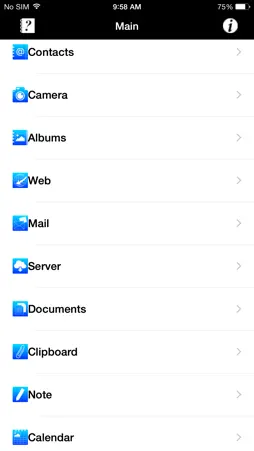
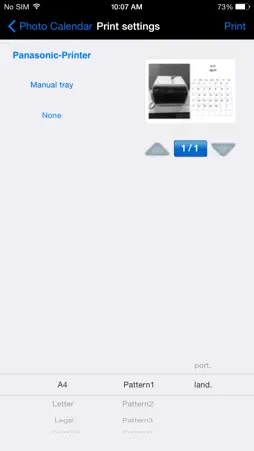
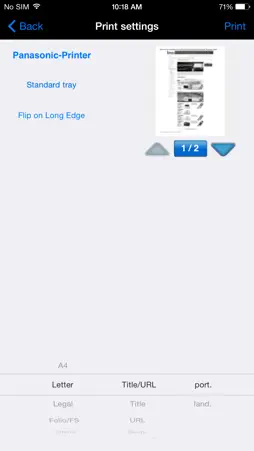
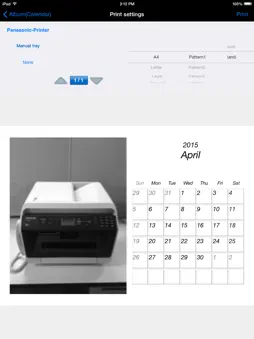
[ Description ] This application solves to print directly from your smartphone, tablet device, etc. with your Panasonic Multi-Function Printer. You don't need a PC to print anymore! [ Requirements ] Wi-Fi [ Supported Panasonic Multi-Function Printer ] DP-MB250/DP-MB310 series KX-MB2500 series KX-MB2200 series KX-MB2100 series For information on each model number of the supported Multi-Function Printers, please refer to the following : http://panasonic.net/pcc/support/fax/world.htm [ Features ] 1. Web page printing 2. Camera (23 formats) - Date stamp or time stamp function 3. Mail print 4. Contacts (3 formats) 5. Albums (23 formats) 6. Photo calendar (5 formats) 7. Add a printer (Bonjour search / Enter IP address) 8. Printer settings (paper size) 9. Note (6 formats) 10. Photo card (7 formats) 11. Clipboard [ Compatibility ] Supports iOS 6.0 to 8.0 currently.
What's New
Version 1.1.0 2015-05-05
This app has been updated by Apple to display the Apple Watch app icon. Bug fix. Technical Analysis
Package Overview Basic metadata
Bundle ID
com.panasonic.jp.PsnOpbdSd1gMobileToPrint Current Version 1.1.0
Minimum iOS 6.0
Package Size App Store Size
Package Metadata 1 / 2 version records
Detailed binary, privacy manifest, framework, and Info.plist results have not been indexed for this package yet. The verified App Store and archive metadata above remains available.
Known Version Records
1 version record with stored package metadata • 2 known version records
Stored metadata does not guarantee a package is currently available to download.
| Details | Version / IDs | Version date | Action |
|---|---|---|---|
| 29.43 MB | v1.1.0 App Store ID: 837093742Build: 1.1.0 | 2015-05-06 00:23:34 | Get Version |
| Not archived | App Store ID: 811179604 | Unknown | Request Version |