Preview


Description
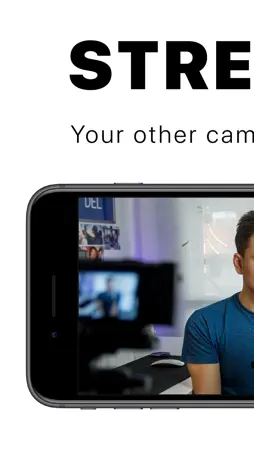
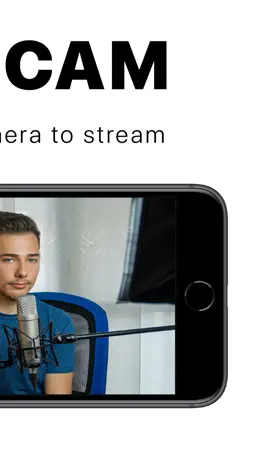
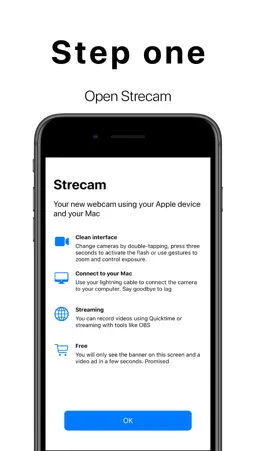
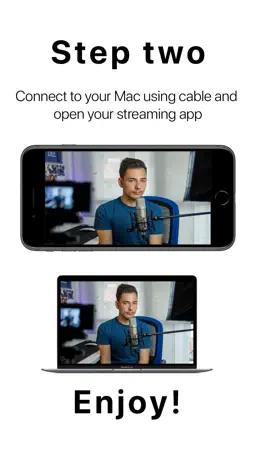
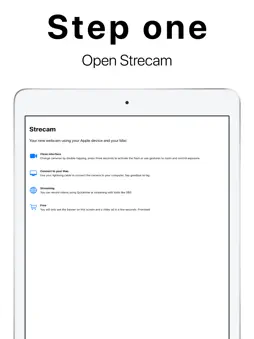
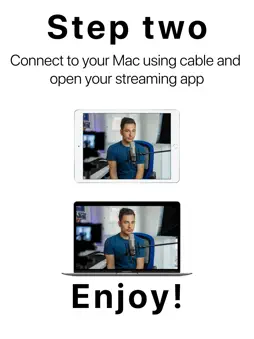
Turn your iPhone or iPad into the best webcam for your Mac. Connect it with a cable and use it as a camera in OBS, QuickTime or your favorite streaming app: live video, no lag and no Wi‑Fi needed. A CAMERA WITH NOTHING ON SCREEN Strecam shows only your image: no buttons, no frames, no menus. Everything is controlled with gestures: • Double-tap: switch cameras (0.5× ultra wide, 1×, 2× and front) • Tap: focus on that spot • Swipe up or down: adjust brightness • Pinch: zoom • Press and hold: turn the flash on or off (rear camera) Works in portrait and landscape. FREE You'll only see a banner on the start screen and, sometimes, a video when you tap Get Started. Never while you're using the camera. If you like, watch a video and use Strecam for 24 hours without the watermark or video ads, or go Premium to remove them forever. TIP Turn on Do Not Disturb and silence your device so no notifications show up while you stream. HOW TO USE IT WITH OBS 1. Connect your iPhone or iPad to your Mac with a USB‑C or Lightning cable. If asked, tap "Trust" on the device. 2. Open Strecam on your device and tap Get Started. 3. In OBS, click + under "Sources" and choose "Video Capture Device". 4. Give it a name and select your iPhone or iPad under "Device". Done! HOW TO USE IT WITH QUICKTIME 1. Connect your iPhone or iPad to your Mac with a USB‑C or Lightning cable. 2. Open Strecam on your device and tap Get Started. 3. In QuickTime, go to File > New Movie Recording. 4. Click the arrow next to the record button and select your iPhone or iPad as the camera. Done! ALSO ON A SCREEN OR CAPTURE CARD With Apple's Digital AV Adapter you can show the image on a TV, a monitor or an HDMI capture card.
What's New
Version 1.5.1 2026-11-07
Stability and performance improvements, plus small tweaks to make Strecam work even better on all your devices. Technical Analysis
Package Overview Basic metadata
Bundle ID
com.pgp.strecam Current Version 1.5.1
Minimum iOS 17.0
Package Size App Store Size
Package Metadata 0 / 8 version records
Detailed binary, privacy manifest, framework, and Info.plist results have not been indexed for this package yet. The verified App Store and archive metadata above remains available.
Developer Information
Known Version Records
0 version records with stored package metadata • 8 known version records
Stored metadata does not guarantee a package is currently available to download.
| Details | Version / IDs | Version date | Action |
|---|---|---|---|
| Not archived | App Store ID: 857702814 | Unknown | Request Version |
| Not archived | App Store ID: 847292082 | Unknown | Request Version |
| Not archived | App Store ID: 838261964 | Unknown | Request Version |
| Not archived | App Store ID: 838046438 | Unknown | Request Version |
| Not archived | App Store ID: 836649809 | Unknown | Request Version |
| Not archived | App Store ID: 836584504 | Unknown | Request Version |
| Not archived | App Store ID: 836569432 | Unknown | Request Version |
| Not archived | App Store ID: 836088158 | Unknown | Request Version |